Are you a newly licensed Technician, or a General or Extra and have never been on the air or built a station? Are you a prospective ham but would like to learn more about Amateur Radio activities? Ham Bootcampis the program for you. We will be holding another online Ham Bootcamp on Saturday, April 24th, 2021.
Registration is open for the Nashua Area Radio Society’s Spring Ham Bootcamp. Ham Bootcamp will be held online using Zoom web conferencing. Going online will allow us to help new Hams get on the air, in a safe way during the Coronavirus Pandemic. This will also let us reach out to new Hams across the country.
Jamey, AC1DC, elmers Randall, N1KRB as he makes an HF Contact
Our spring Ham Bootcamp will be held on Saturday, April 24thfrom 10:00 am to 6:00 pm Eastern Time. The morning session will focus on Technician level activities and the afternoon session will focus on HF activities for General and above licensees. Here is the agenda:
Abby Speaks About Fox Hunting in Fall 2020 Ham Bootcamp
Repeaters and VHF/UHF Session Activities
Putting together a Station for Repeaters – How to pick an HT or Mobile Radio and an Antenna
Radio Programming Tutorial
Getting started with EchoLink
Making Contacts and Joining a Repeater Net
Getting Started with Amateur Radio Satellites
Getting started with Fox Hunting
Jamey Explains HF Station Building
HF Session Activities
Putting together an HF Station for SSB, CW, and Digital
Picking and putting up an HF Antenna, Feedlines, and Grounds
Operating on the HF bands using SSB Voice
Software and setup for Logging Contacts via your computer
Getting started with WSJT-X and FT8 Digital
Finding DX and QSL’ing – Getting them in the log and confirmed
… and more!
Spring 2021 Ham Bootcamp is Going Online on April 24th
Registration is now open for the April 24th session. You can get more information about Ham Bootcamp at https://www.n1fd.org/ham-bootcamp/.
Each attendee should register separately using this link. After registering, you will receive a link that will allow you to register for the Zoom meeting. Following the Zoom meeting registration, you will receive a personal Zoom link via email.
The ARRL has published the 2020 Field Day Results in the December 2020 Issue of QST.
Field Day 2020 Rule Changes
Due to the pandemic, the ARRL made two rule changes this year. The first is that stations in category 1D could contact other 1D stations. The second is that individual submissions could specify a club affiliation and scores would be aggregated by club.
Virtual Site Visit on Zoom
NARS held several activities to help members operating in Field Day to earn bonus points toward their scores. A virtual site visit via Zoom with Gary Gasdia (father of member Ryan, KC1KJS), who is a member of the Hudson School Board and Community Emergency Response Team Members Patrick, W1YTT, Joe, AC1BG and Dan, W1MUZ helped members with bonus points. Sterling, AK1K, trained us all and hosted a messaging net to help us get the messaging bonus. These bonus points helped to increase our score.
Field Day 2020 Scores
Thanks to all of our members who submitted their scores for the Nashua Area Radio Society, our efforts resulted in a total club score of 14,952. From a quick scan of the line scores published by the ARRL and back of the envelope calculation, we placed in the top 3% of all clubs!
Jeff, AC1FX Operating at Field Day 2020
We had a total of 16 members contribute their scores toward our aggregate club score:
To review the ARRL Results Article, visit the ARRL Web site at https://contests.arrl.org/ContestResults/2020/Field-Day-2020-FinalQSTResults.pdf
To search the 2020 ARRL Field Day score database, visit http://www.arrl.org/results-database and select 2020 ARRL Field Day from the drop down box.
Winter Field Day 2021
Winter Field Day is coming up on January 30-31. Similar rule changes have been made due to the pandemic. If you are interested in operating on Winter Field Day, review and reply to Craig, N1SFT’s post in the Field Day Forum. Also, plan to join our January Membership Meeting, where Craig will talk about Winter Field Day.
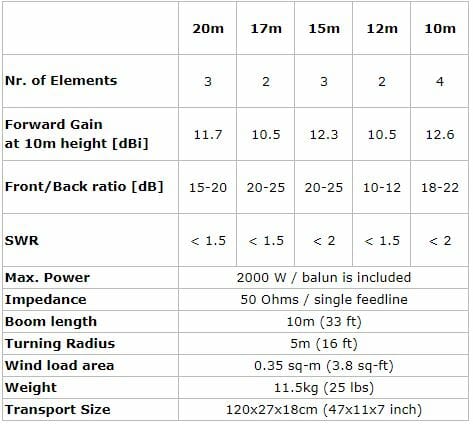
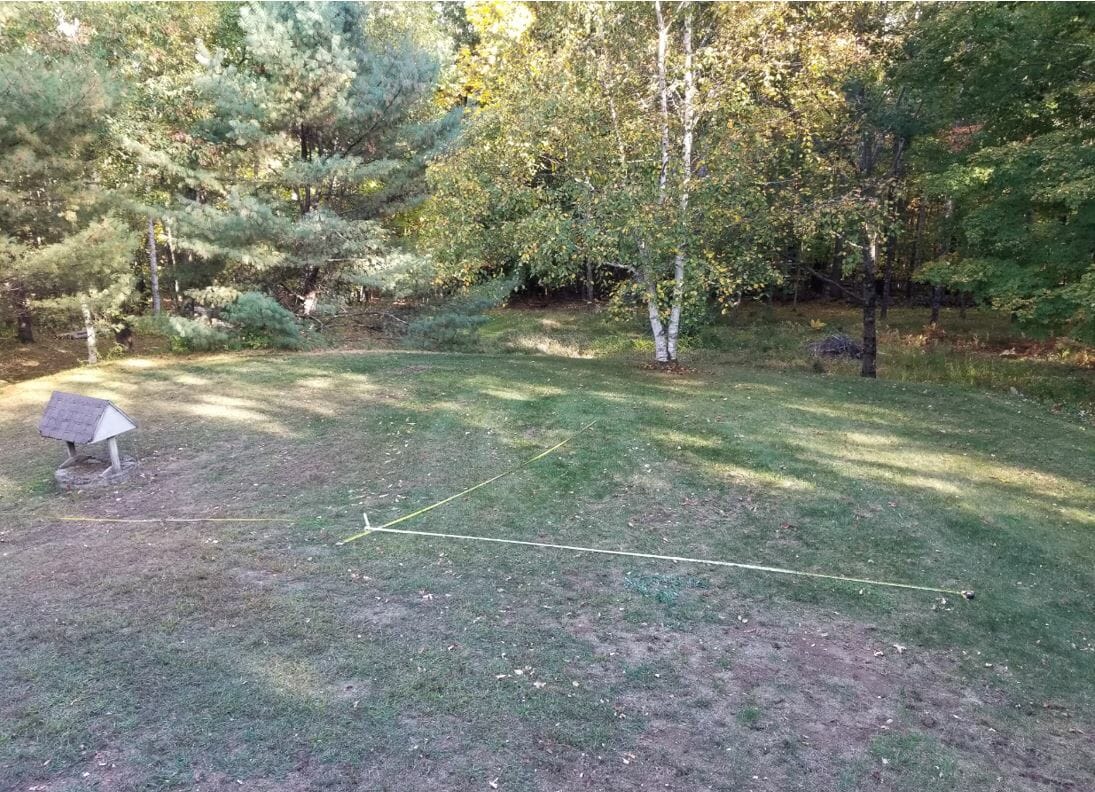
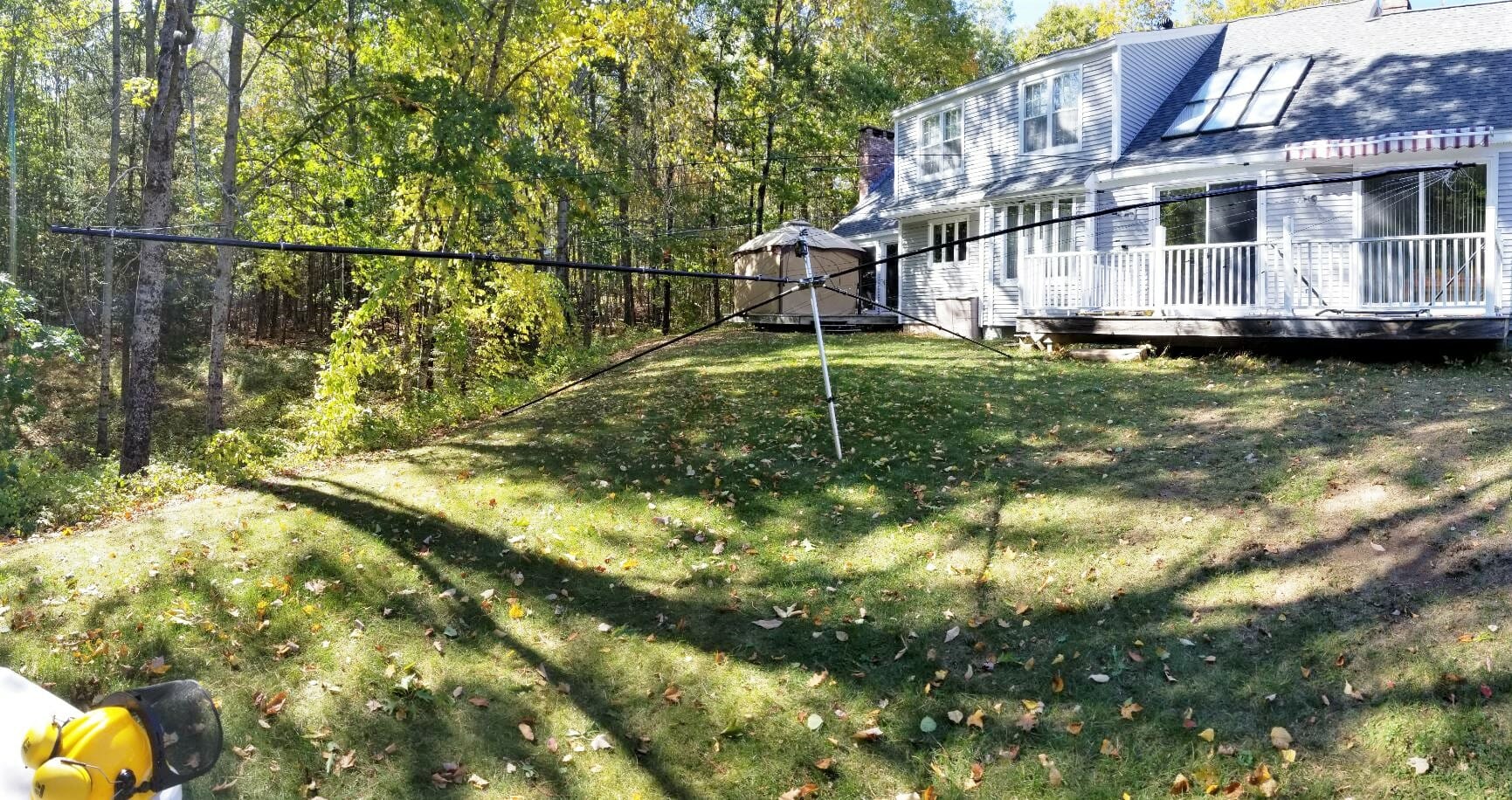
As shown in the specifications above the Spiderbeam has a 33-foot boom, so I measured carefully to find the best spot to build it and raise it on the mast.
Survey
Preparing the base for the mast
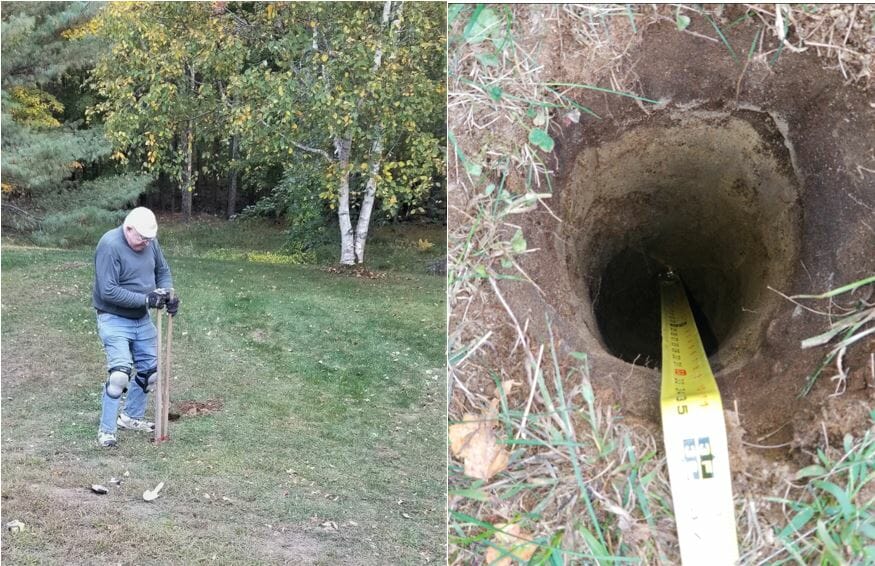
The Yaesu 800DXA Rotator that will rotate the mast and antenna will be mounted to a steel pipe buried and cemented into the ground. The next step is to dig the hole. The maximum reach of this post hole digger is around three feet.
Preparing the hole
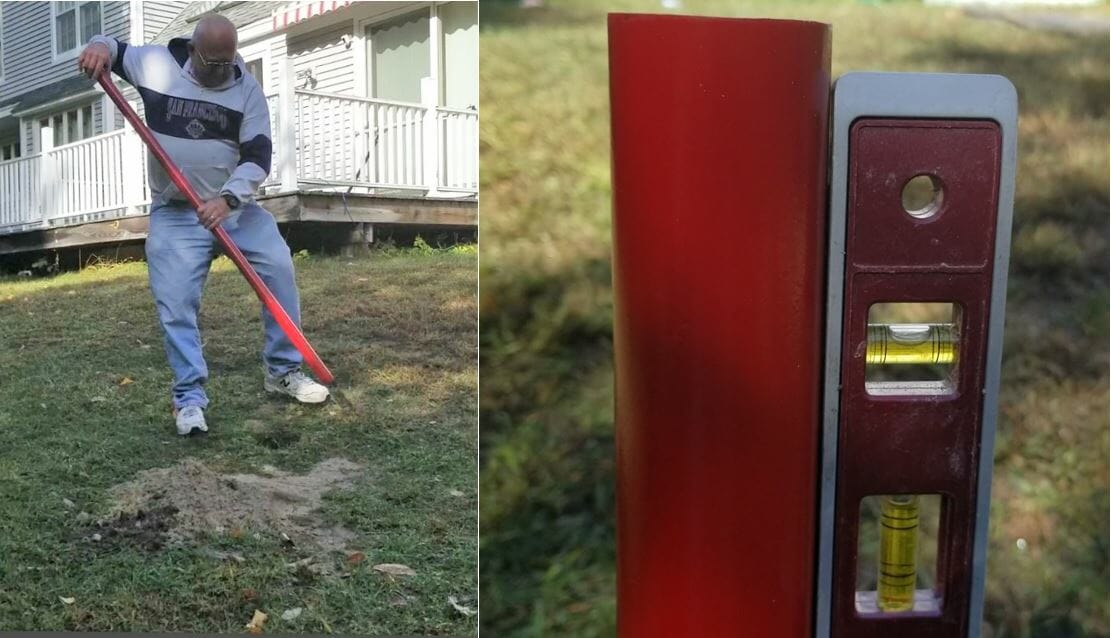
Next, place the pipe in the hole and make sure it is vertical.
Set the Pipe
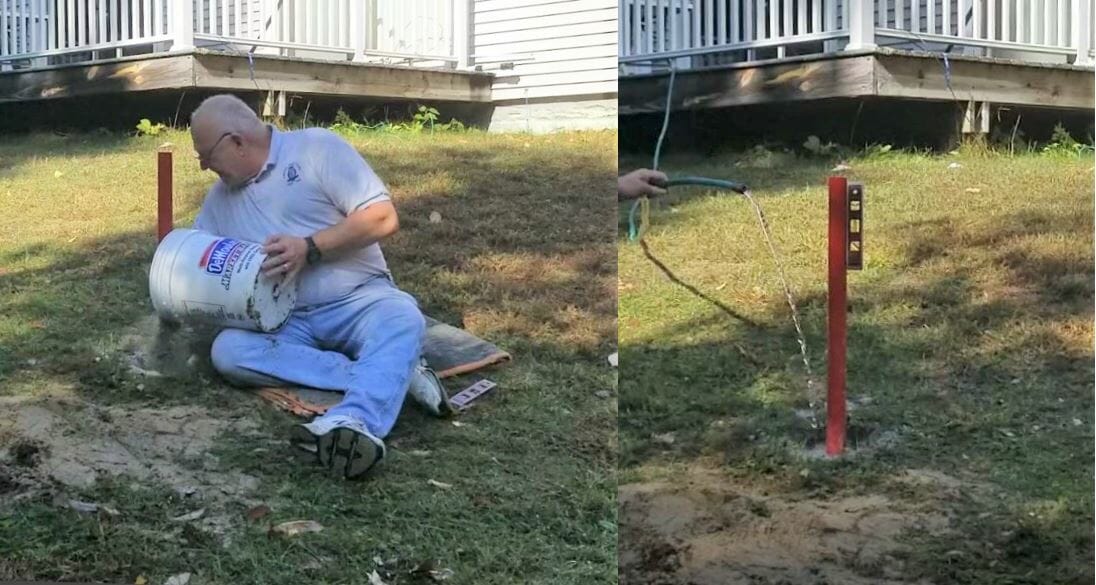
Add about 6 inches of gravel to the bottom of the hole to promote drainage, then add dry quick setting concrete to a few inches below the top of the hole. Slowly add water to the dry mix and give it time to soak in. One bag was sufficient.
Add Cement and Water
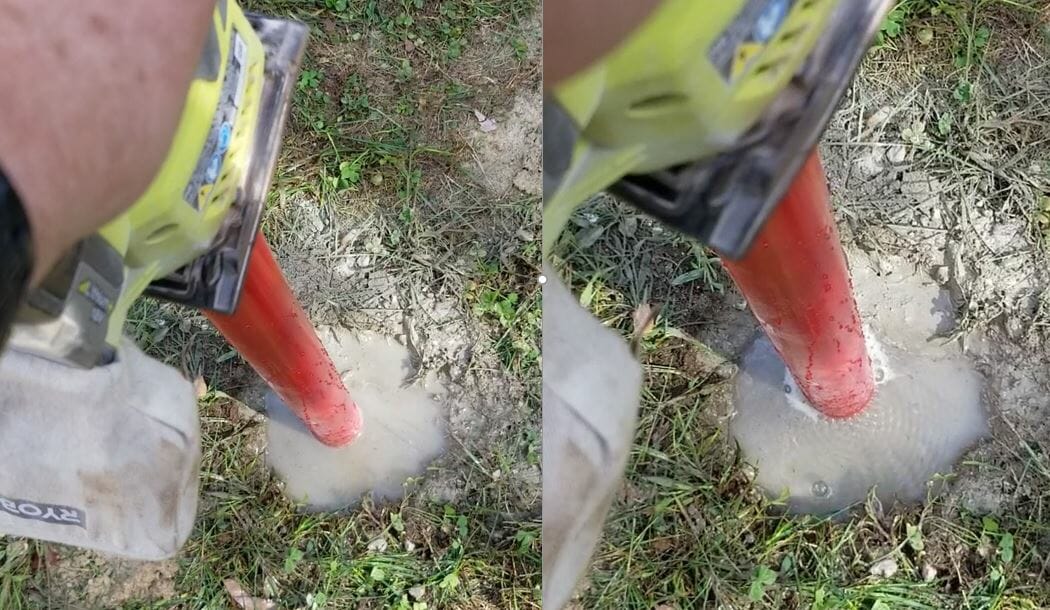
After adding water to the cement, I saw it was not draining very quickly. I had the inspiration to use my palm sander, without any sandpaper, to vibrate the pole. It worked great and you can see how the water level dropped and the bubbles coming out of it. I am confident this made the concrete stronger.
Set the Cement
Read the Manual Before Antenna Assembly
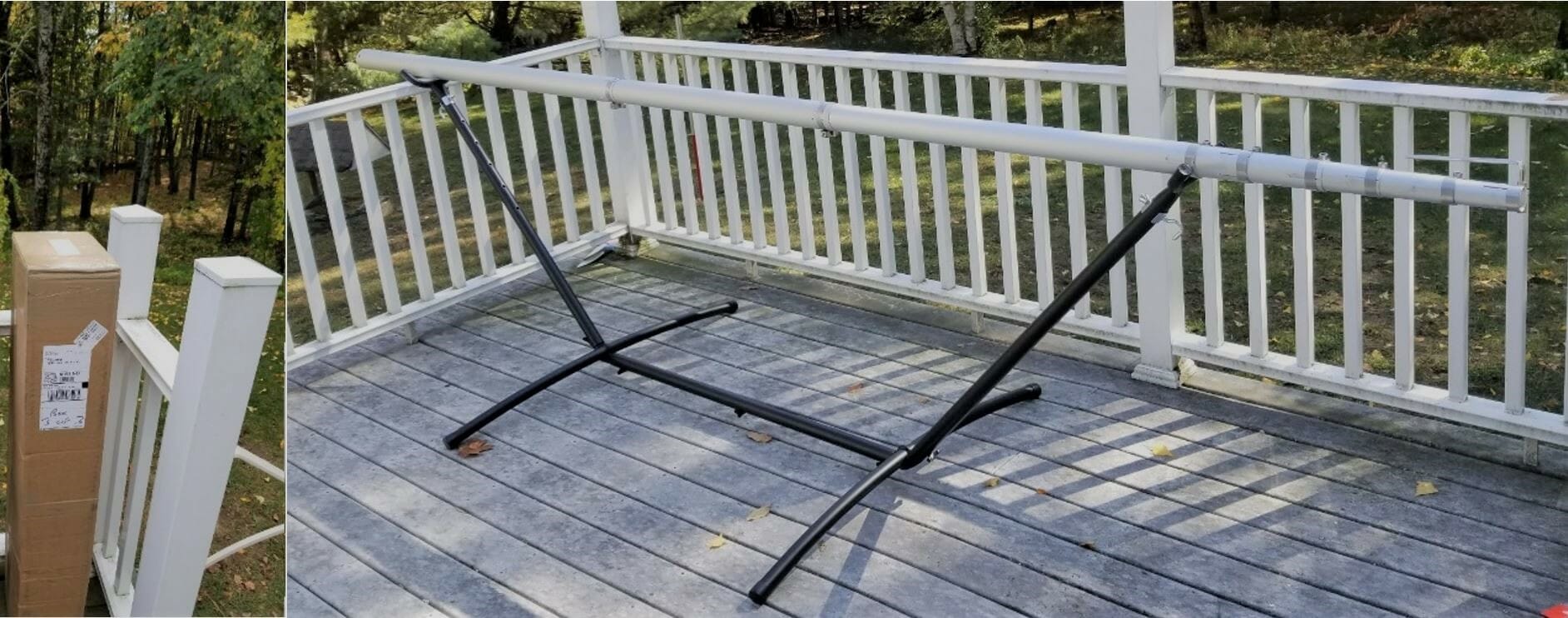
While I wait for the concrete to cure properly, I will construct the antenna. The Spiderbeam antenna packs into a compact box. The mast is a Spiderbeam 14.5 Meter HD model and is rated for full height with this antenna. The 14.5 Meter HD telescoping mast has 9 sections. Each section is around 6 feet long. When fully extended it is 47 feet long. Assemble the antenna directly onto the topmost section of the mast.
Antenna Box and Mast
Spiderbeam includes a printed booklet with detailed assembly instructions and you can also download a PDF with the latest version of instructions from their web site. They will also provide plans to construct it yourself if desired. After assembling their kit I can say that building this from scratch is a challenging project. The components they provide are of high quality and worth the money. I highly advise everyone to read the assembly instructions over at least twice before beginning work. The manual includes instructions for the user who builds from scratch and also from the kit. It covers the portable as well as the HD versions of the antenna. Even after reading the instructions twice myself I still had to backtrack a few times to complete the assembly properly.
Beginning Antenna Assembly
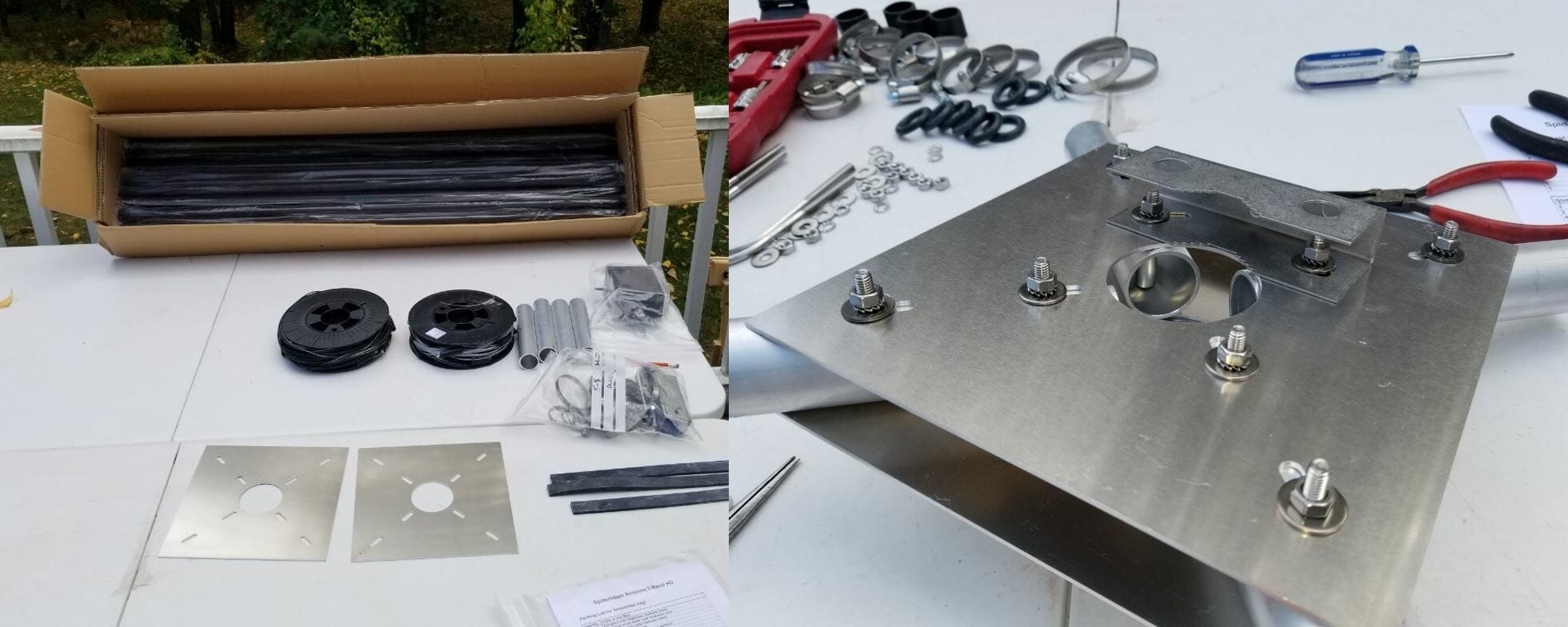
Open Box and hub
The box contains 20 fiberglass tube segments along with all the other parts required to assemble the antenna. I purchased the optional Kit Assembly Service from Spiderbeam where they manufacture the wire elements, guy lines, balun, etc. This is very worthwhile and quite a time saver. The two spools of wire shown above include all the reflectors, directors, and driven elements accurately measured. The wires on the spools are in the correct order of use. This makes it simple to access the next wire needed when assembling the antenna. The wires are accurately measured, but they are not precisely tuned. Do this once the antenna is fully assembled and off the ground a bit.
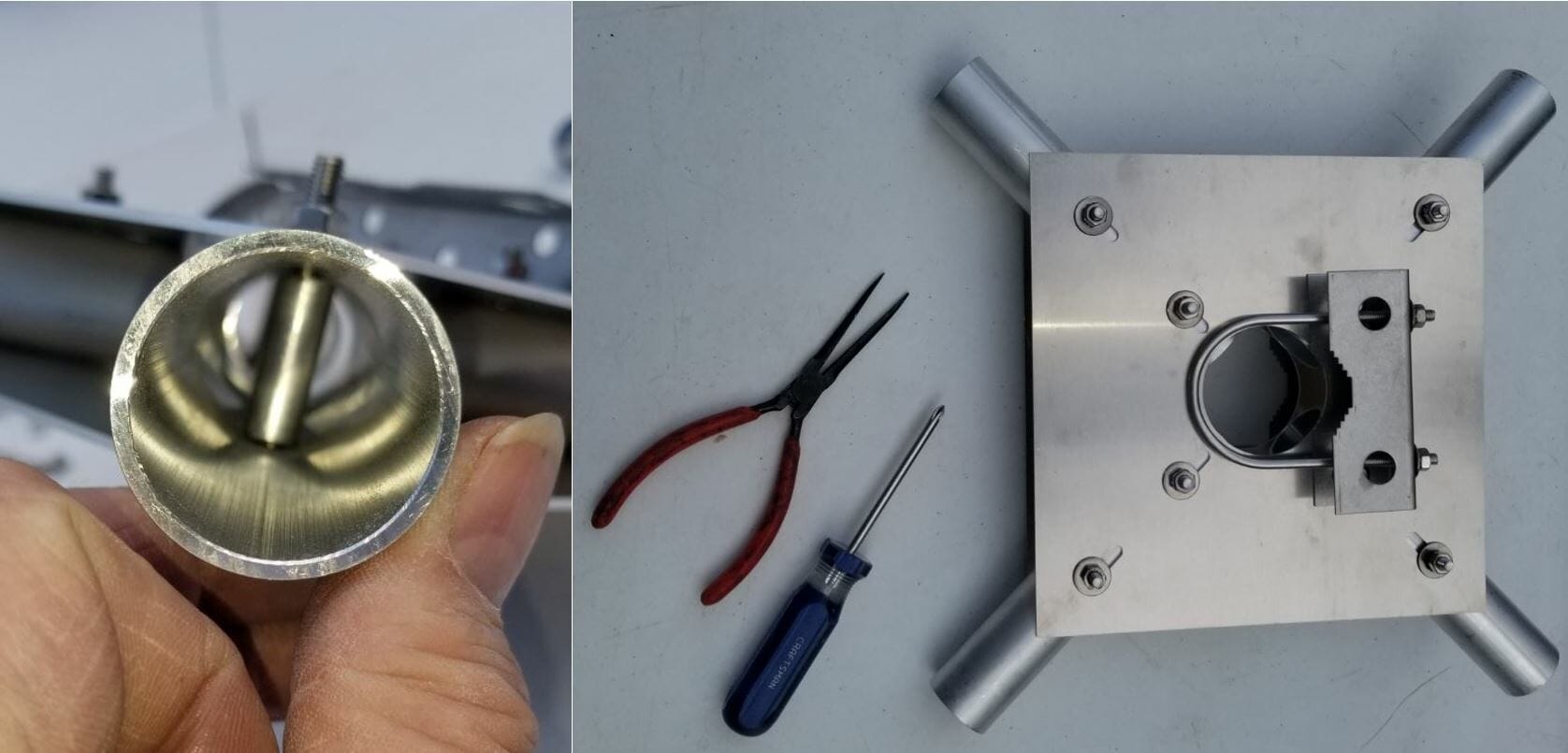
Hub and Sleeve Detail
The pictures above show some detail of the Spiderbeam Center Joint. Where the bolts go through the tubes there is a sleeve to install in the tube to prevent it from collapsing when you tighten the bolts. It takes some finesse to align the parts. I used a very long nose needle nose pliers to hold the sleeve in the tube during assembly. It is even more tricky when attaching the brackets on the top and bottom of the hub as many pieces need to be stacked up and aligned before you can insert the bolt through the sleeve.
Installing the Spreaders
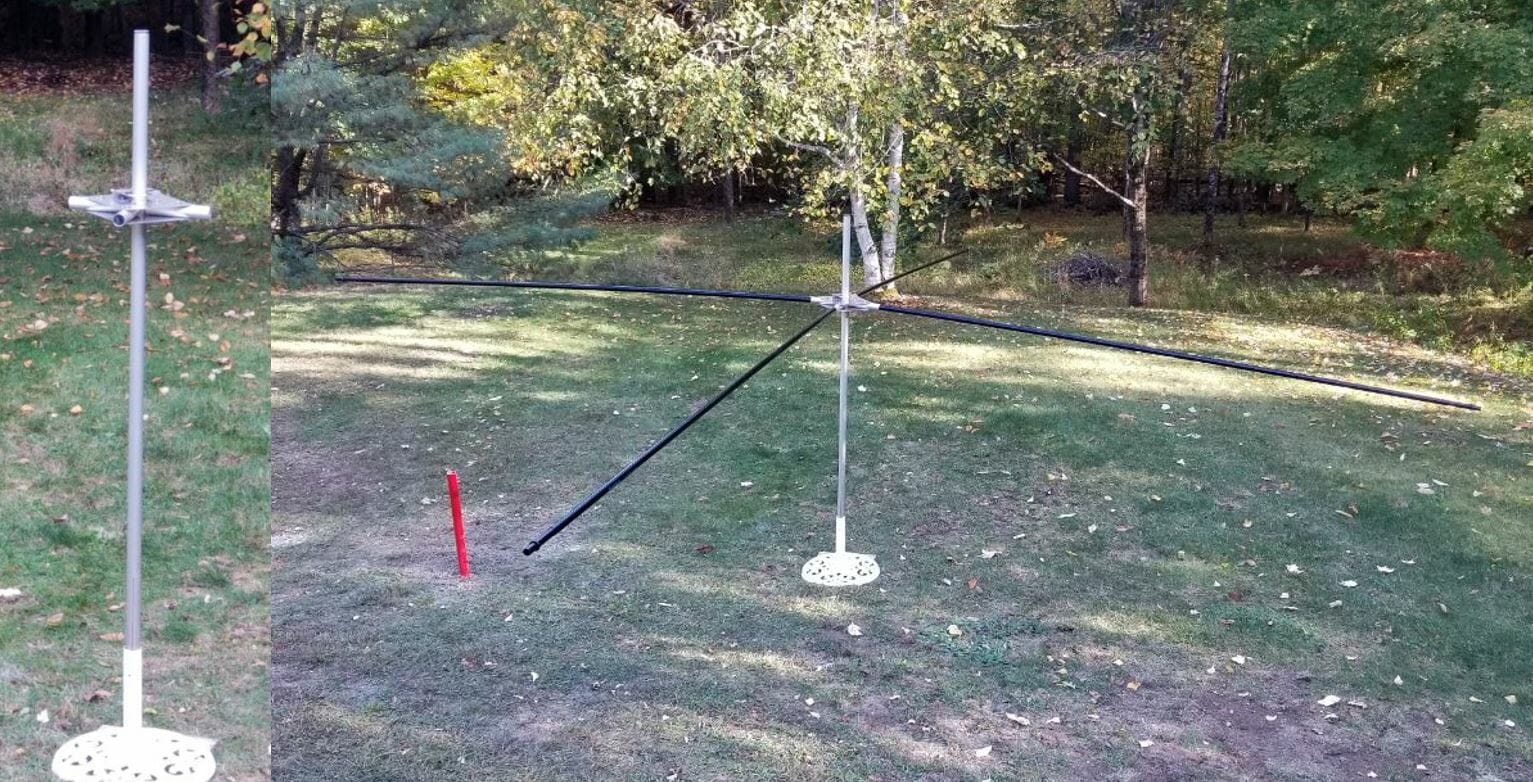
Hub and Spreaders
To aid in the assembly I placed the topmost section of the mast into a garden umbrella holder. Spiderbeam specifies that you install the hub 50cm from the top of the mast. I found this to be a bit short and will make an adjustment in the future to make it 65cm. This will give the top support guys more leverage for the spreaders. There are intermediate detailed steps as each component is installed. The instructions keep it on track.
Installing the Wires
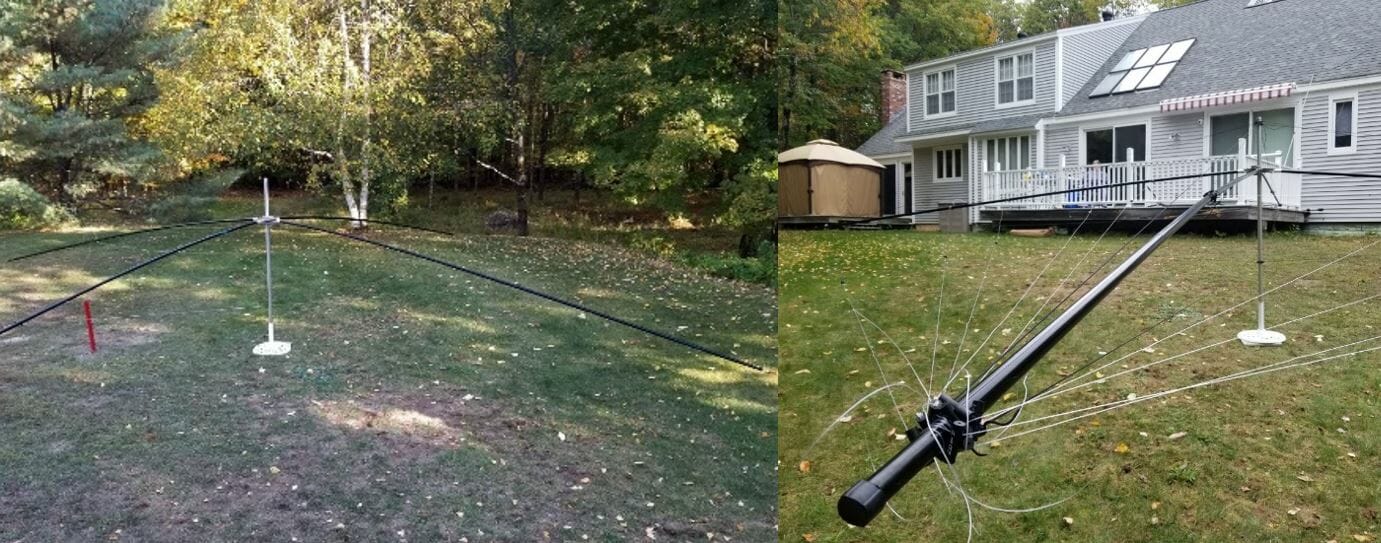
Reflectors and Directors
The next step is to add the Reflectors and Directors. I found it useful to have the antenna up high enough that I could easily duck under the wires as I put them on and adjust them.
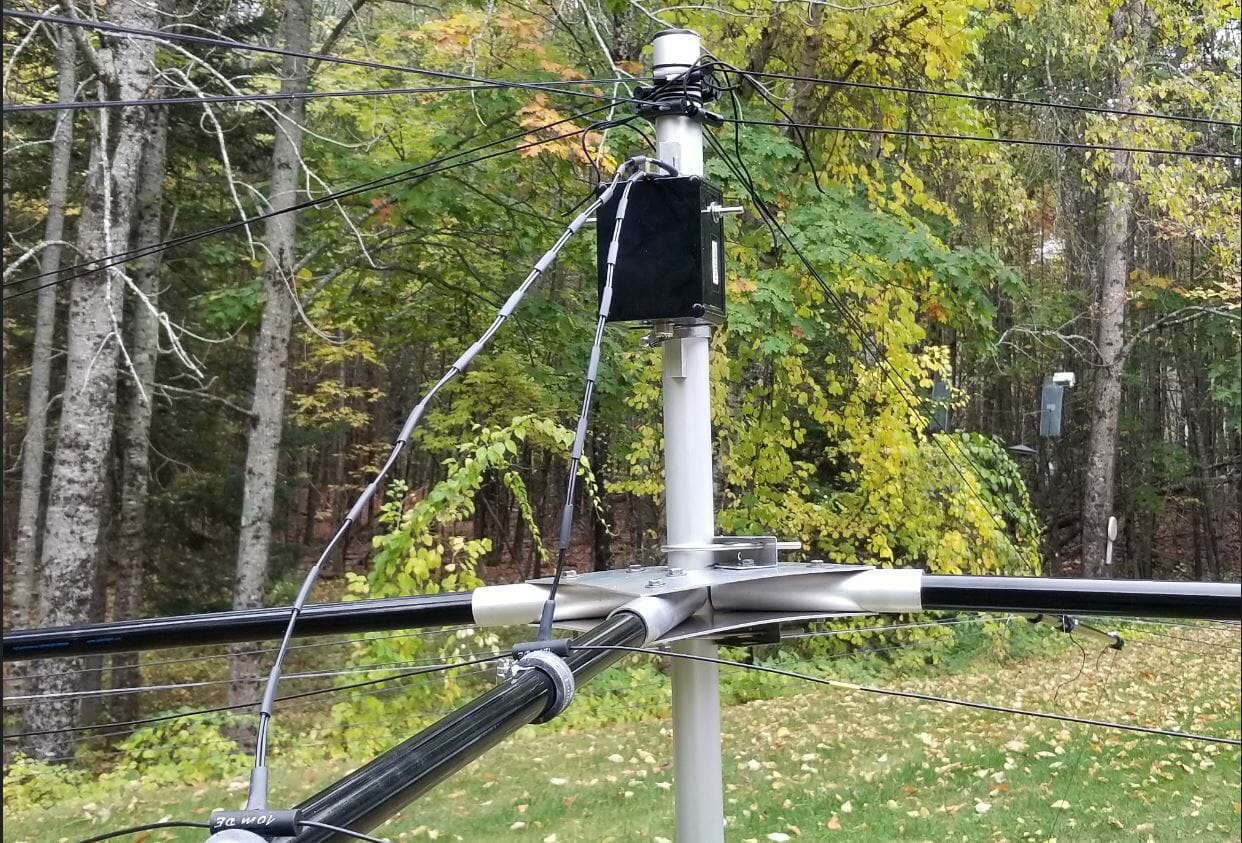
Balun
Before installing the driven elements install the balun on the mast. There is a terminal label for each driven element. Left and right sides are identified on each element and it is important to orient them correctly when connecting them to the balun. After this, install the wires in the order shown in the manual.
Completed Spiderbeam
Finally, I picked up the completed antenna and moved it out of the way so I would have room to work on the next phase, raising the Spiderbeam. It weighs about 30 LBS. including the mast. It is certainly the largest single item I ever lifted and moved. There is lots of inertia to manage, but with care, I moved it easily. You can see how large the antenna footprint is with it on the ground. This is the end of Part 1. Part 2 will be coming soon.
We use cookies to ensure that we give you the best experience on our website. If you continue to use this site we will assume that you are happy with it.