Category Archives: Featured

This category is for featured articles that we want to include in the sidebars and other areas on our website.

Configuring Emails from Our Forums

We have recently added some new features related to our Forums and some members may be getting more emails from the website.  Here is some information on how you can control the emails that you receive that result from Forum Posts.

There are two types of emails associated with forum posts – Individual Emails are sent with each post or reply.  Digests, are sent periodically and contain all forum posts and replies since the last Digest that was sent.

By default, new Members and Internet Subscribers are setup to be subscribed to all forums.  If you are subscribed to a forum, you will receive an email for each new post or reply.

Limiting Individual Forum Emails

You can change which individual emails that you have signed up for by logging into the website and following the steps below.  You can also change the frequency that you receive digests.
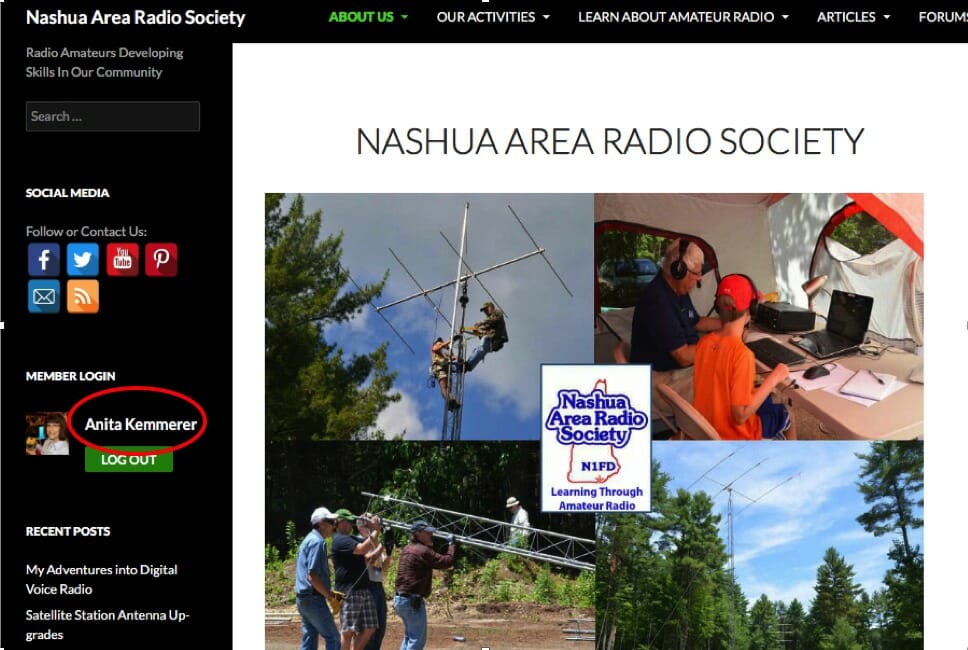
Click on your name where you login
Click on your name where you log in to bring up your Profile
  1. Click on your name on the left-hand side of the page under MEMBER LOGIN.  That will bring up your Profile Page.

    Click on Subscriptions on the left side of your profile page
    Click on Subscriptions on the left side of your profile page
  2. On the left side of your profile page, just below the Avatar or Picture, click on “Subscriptions”

    Unsubscribe from individual forum emails
    Unsubscribe from individual forum emails
  3. If you do not want to receive emails for every new post in a forum, you can click on the pink box with the X in it next to the Forum name to unsubscribe from that forum. We recommend you do not unsubscribe from the General Information Forum as that is where we send information about our meetings and events and those may be time-critical.  We also recommend that members do not unsubscribe from the Members Forum for the same reason.

    Edit your digest settings
    Edit your digest settings
  4. Digests are enabled by default to go out Daily and will include a summary with links to the day’s posts for our Forums.  To change the digest frequency, click on “Edit” just below where you clicked on “Subscriptions”.  Under Forum Digest Preferences, you can change the Digest Frequency from Daily to Weekly or Monthly.  When you are done, you should scroll to the bottom and click on the green rectangle that says “Update Profile”.

    Re-subscribe to individual forum post emails
    Re-subscribe to individual forum post emails
  5. If you want to re-subscribe to a forum that you deleted, start by going to the Forums Menu (On the black bar where you see About Us, Our Activities, etc.). Select Forums and then select the forum that you want to re-subscribe to from the drop-down that appears.   This will bring up the Forum page for that forum.  Just below the Green Rectangle that says “Mark All Topics” you will see a link that says “Subscribe”.  You can click on the word Subscribe to re-subscribe to the forum.  You will see the word “Subscribe” change to “Unsubscribe”.

Help and Suggestions Forum

If you are a new member and have questions about how to use the website, we recommend looking at the articles in the Help and Suggestions Forum to get answers to your questions.

73,

Anita, AB1QB
 

My Adventures into Digital Voice Radio

This article on Digital Voice Radio is intended for those new to ham radio but I hope that all who read these passages will enjoy and learn.

At a recent Nashua Area Radio Society club meeting on Zoom, there was a fascinating talk about Digital Voice Radio – including the mediums known as DMR, D-Star, and Fusion (C4FM) radio, given by Brian Gudzevich, WO1VES.

During that hour, I heard more buzz words, terms, and phrases that I could count. It took me the following week just to look-up everything. But what I heard was quite something, a  way to contact people all over the world with the clarity of digital audio.

What intrigued me even more, is that a new ham –  someone just getting their Technician License – can get involved with this kind of technology rather easily and for not much money.

I remember what it was like for me, just two years ago, getting my first license and having only a Baofeng HT and making some of my first QSOs to the remote corners of New Hampshire and Vermont. Boy, did I feel hot stuff back then! I also tried EchoLink in the beginning and made some other interesting QSOs to the West Coast and parts of the UK. That was great, too!

But, from what I heard, the digital voice radio formats are like EchoLink on steroids. I wanted to give it a try.

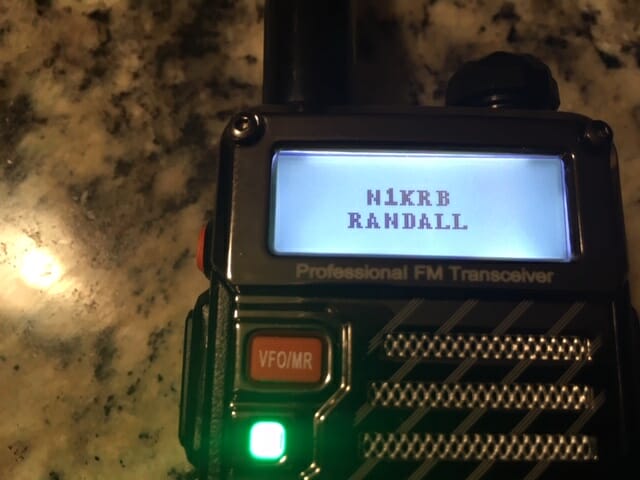
Asking around, I heard that DMR – even with its various downfalls – might be a place to start. I found a Baofeng DM-5R Plus being sold for $ 55. This was an awkward radio to play with, but after time, it finally got it to work.

I was able to reach the local repeater in Hudson – K1MOT – and was able to hear a few voices while tuned in to the system with some success.

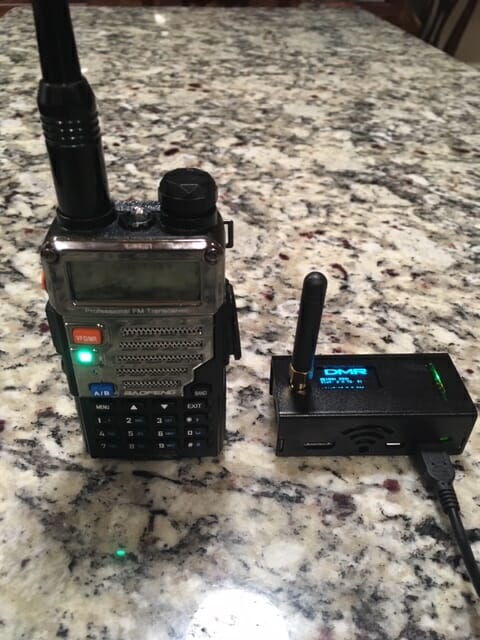
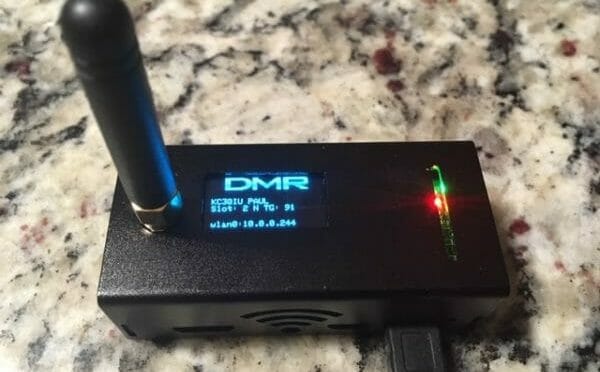
However, the best way to connect to digital radio and to the outside world is with something called a hotspot – a device that talks to the radio at one end and connects to the internet at the other. The hotspot I choose is what is known as a Jumbo, running Pi-Star.

Digital Voice Radio
DMR Hotspot

The basics of a DMR radio is that it is centered around the commercial radio technology, first developed by Motorola, which digitizes the audio and then divides that audio into packets. Those packets are sent and received over VHF and UHF bands.

To help make things work, each radio is required to have a ‘radio ID’, now issued by RadioID.Net. And for one radio to talk to another, the most common way to do this is to connect through something called a “talk group” which is like a virtual telephone party line. Anyone on the talk group can talk to another when they’re on the radio at the same time. Each talk group also needs its own ID number.

What also is required is that each radio needs to be programmed with something called a “code plug”. This is similar to the Chirp program used on HTs.  However, the code plugs on DMR are more like a matrix of data, setting up channels, contacts, talk groups, frequencies and so much more. It can be quite involved with trying to make sure all the information is imported into the right space. It is quite possible to screw things up … which I know first hand.

Using the repeaters, as mentioned, are rather limited as they only handle a small number of talk groups. The common complaint with the repeater is that it is hardly worthwhile because too few people are using them. However, a hotspot, with internet access at home,  in a car, or from a cell phone, can give you unlimited possibilities for chatting with others all over the world.

The first morning I got on the air, I overheard a fellow in Florida talking with someone in England. And then, I got on the air to talk with someone in Ohio and then Illinois, all with the clarity of digital signals. No QRN could be heard. It was quite something.

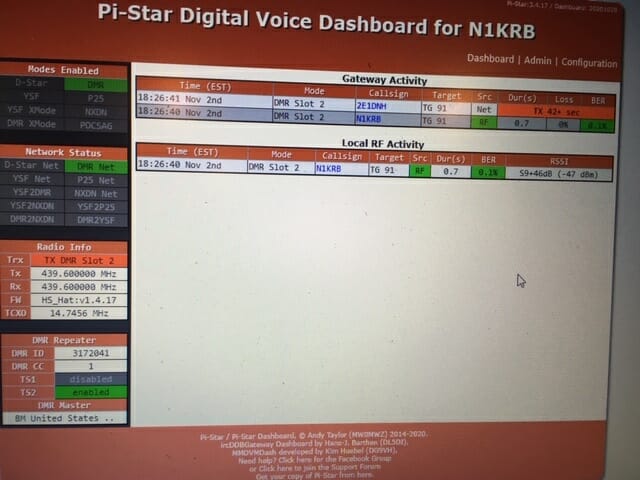
The one other thing I found interesting with DMR – with the Pi-Star hotspot –  I could log onto its ‘Dashboard’ and get an instant read-out of who else is on the talk group. Can you do that on HF? Maybe someday – maybe!

Digital Voice Radio
Hotspot Configuration Screen

And like I said, the whole experiment of trial and error cost less than $125 for the radio and the hotspot. Not great quality stuff but it worked and I was able to get a taste of this technology.

It is dizzying with the number of things available to anyone in ham radio – even for the new ham – and digital voice is just another exciting aspect of this ‘hobby’.

I would be interested in your experience with DMR. And who knows, I may try one of the other digital voice radio formats soon. Stay tuned!

73 Randall, N1KRB

Satellite Station Antenna Upgrades

We’ve been making good use of our Satellite Ground Station. Our existing 2MCP14 and 436CP30 antennas have enabled us to make over 2,000 satellite contacts; working 49 of the 50 U.S. States, 290+ Grid Squares, and 31 DXCCs. Our station is also an ARISS Ground Station which enables us to help Schools around the world talk to astronauts on the ISS.

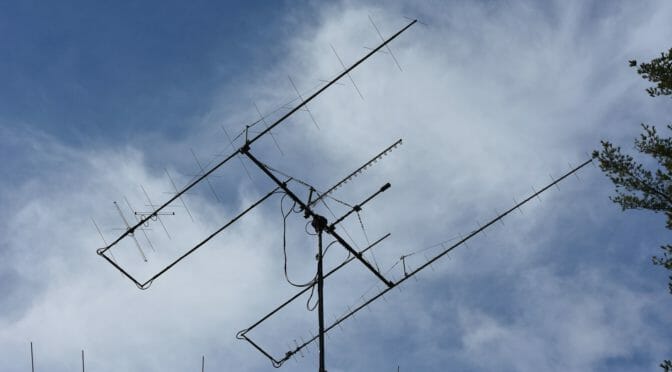
As you can tell, we are pretty active on Satellites so we decided to take our station up a level by upgrading our antennas. We choose larger yagis with booms over 18+ ft in length. The upgrade required us to improve the mechanical aspects of our Satellite Antenna System as well…

Source: Satellite Station 4.0 Part 12 – Antenna Upgrades

We’ve been pretty busy with antenna projects at AB1OC-AB1QB this fall. In addition to building a new EME Antenna System and Station, we’ve also been working on upgrading our Satellite Antennas.

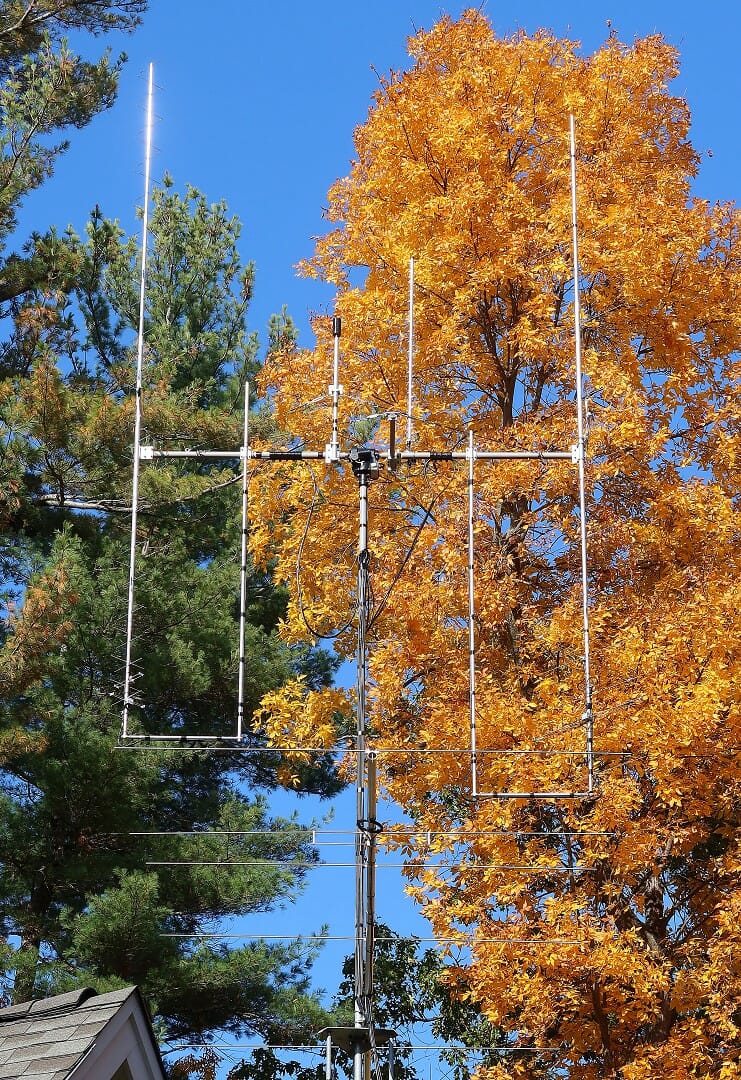
Satellite Antenna Upgrade

The Satellite Antenna project was a pretty challenging one. We opted for the largest available circularly satellite antennas available from M2 Antenna Systems.

Satellite Antennas On the Tower - Parked
Satellite Antennas On the Tower – Parked

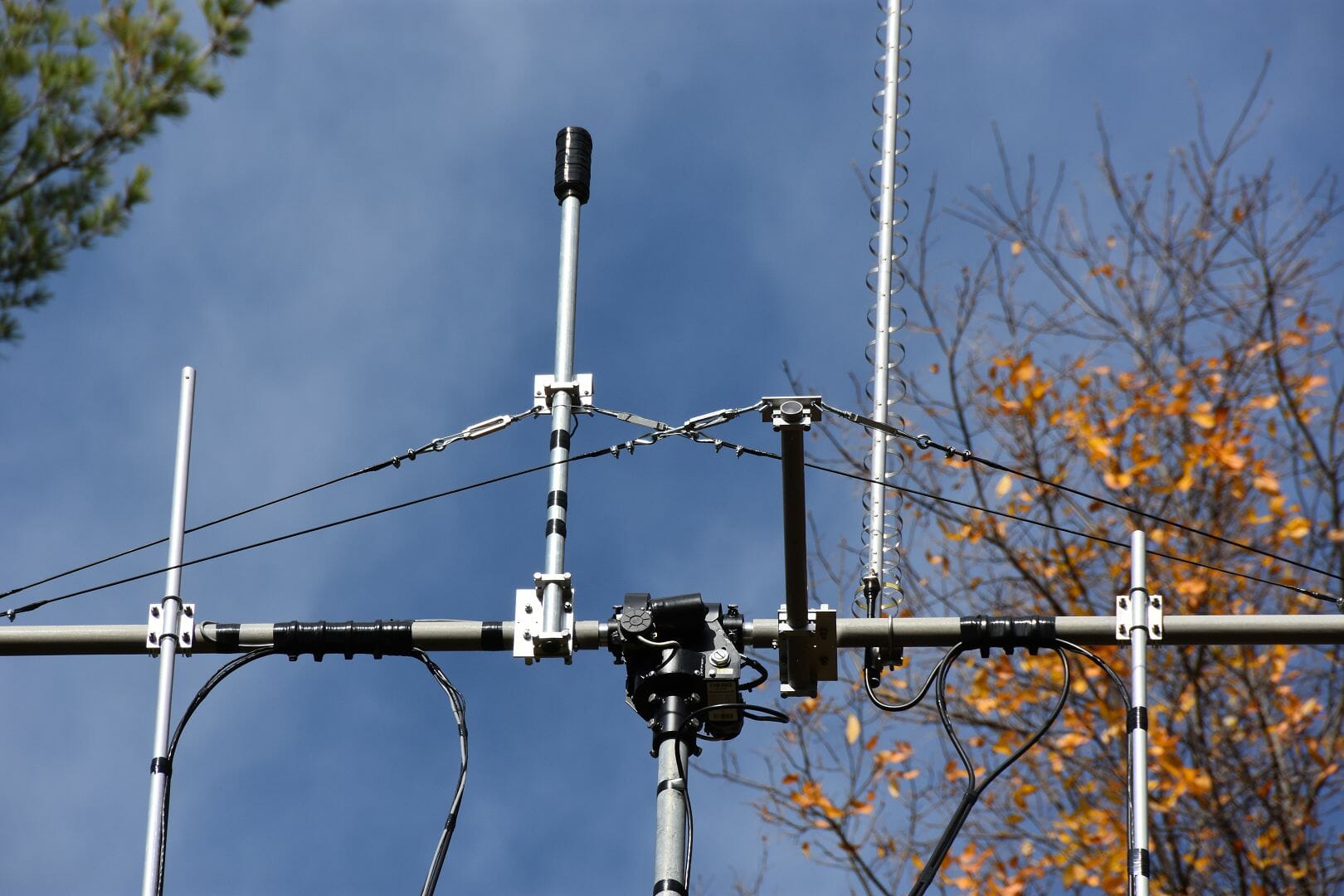
Getting these antennas to be mechanically reliable, properly aligned, and operating smoothly required us to make some custom modifications to the hardware associated with our Satellite Ground Station.

Cross Boom Counterweight and Trusses

The article above covers the construction and adjustment of the new antennas. It also covers several custom enhancements that we made to our satellite antenna support system.

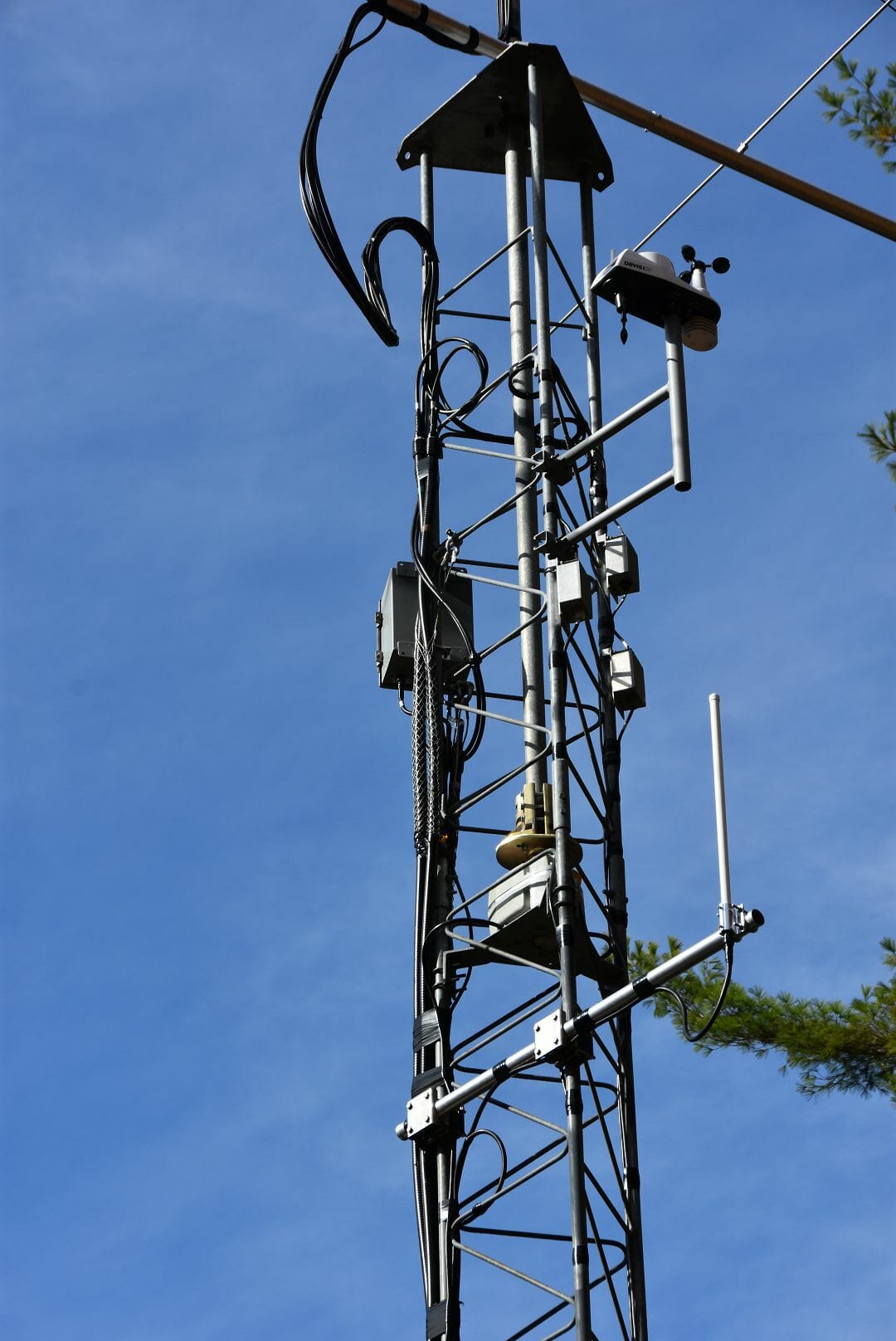
Aircraft Tracking Antenna System Addition

Satellite Tower Infrastructure including ADS-B Antenna

We also added an outdoor antenna for our FlightAware ADS-B Tracker as part of the project. ADS-B is a relatively recent aircraft tracking system. Our new ADS-B antenna has increased our Tracker’s contribution to the ADS-B network considerably.

If you’ve ever wondered what goes into building and putting up a high-performance satellite ground station, take a look at the article. The ideas shared there are applicable to the construction of any VHF and above antenna system – especially those that utilize elevation rotators and thus require balancing.

Fred, AB1OC

Radio Amateurs Developing Skills Worldwide