Category Archives: Education and Training

Education and Training information is for folks looking for help to earn or upgrade their license, learn about Amateur Radio, and get help with Ham Radio questions.

Yagi Antenna Construct Part #2: Current, Voltage Profiles, and Dipole Pattern

In Part 1 of this article series, I presented the “Lego” 2 m 3-element Yagi antenna design that the N1FD ham license teaching team has used over the past year for class demonstrations.  The design allows easy assembly of the basic dipole antenna as well as a 3 element Yagi. The configuration of individual elements and spacing between elements can be quickly changed to demonstrate basic physics and behavior of these popular antennas.

The first article described antenna construction details and showed how to demonstrate the criterion for resonance as well as the polarization property of the radio wave.  In Part 2 of the series, I will continue a focus on the dipole, specifically the spatial current – voltage profiles on the driven element and the radiation pattern of the antenna.  We will use this information in Part 3 of the series next month to demonstrate how a 3-element Yagi works and why it is so popular.

THE CURRENT & VOLTAGE PROFILES ON A HALF WAVELENGTH DIPOLE   
Current Profile on a Half Wave Dipole Antenna
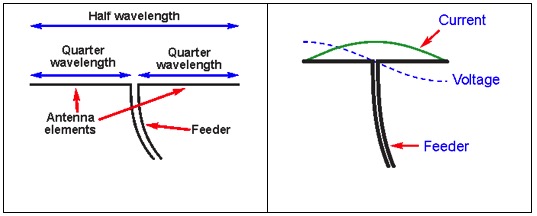
Figures 1a and b – Current Profile on a Half Wave Dipole Antenna

Figure 1a reminds us of the basic dipole geometry; and Fig. 1b shows the current and voltage profiles along the driven element.  (From http://www.radio-electronics.com/info/antennas/dipole/half-wave-dipole.php)

Note from Fig. 1b that the current profile of a dipole has a maximum current level at the center feedpoint and decreases to zero current at the end of each element arm.  Contrasting, the voltage profile has a zero value at the feed point and increases to a maximum level at the ends of the element arms.
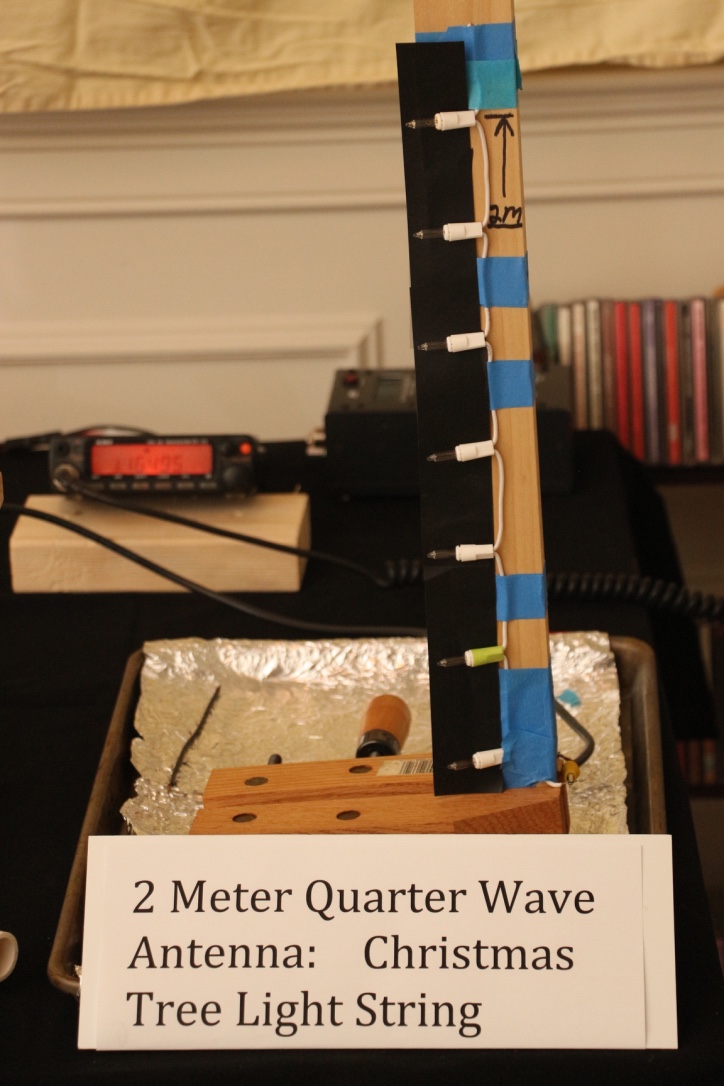
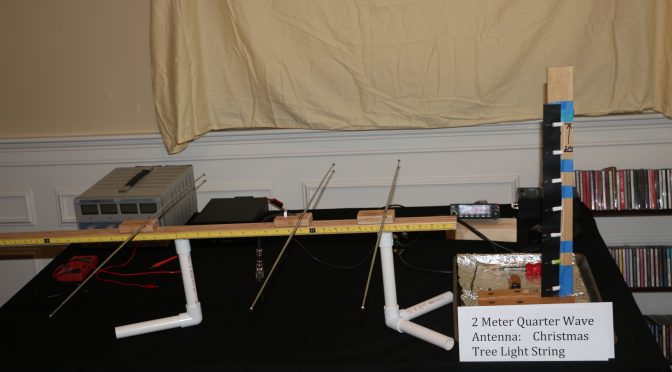
1/4 Wave Vertical. Note the 7 spaced lamps.
Figure 2 – 1/4 Wave Vertical. Note the 7 spaced lamps.

The 1/4 wave vertical antenna seen in Figure 2 can be used to visualize the current profile along the arms of a 1/2 wave dipole.  The 1/4 wave antenna is made from a short length of a Christmas tree (incandescent) light string.  The string length can be estimated from the standard equation:  Length (ft) = 234/Frequency in MHz. Generally, several inches needs to be trimmed off because the lamps add “electrical length”. The shown antenna has the same resonance frequency as the Lego Style dipole we will use later (i.e., 146.550 MHz). The top end of the antenna is marked by the blue tape immediately above the 7th lamp.
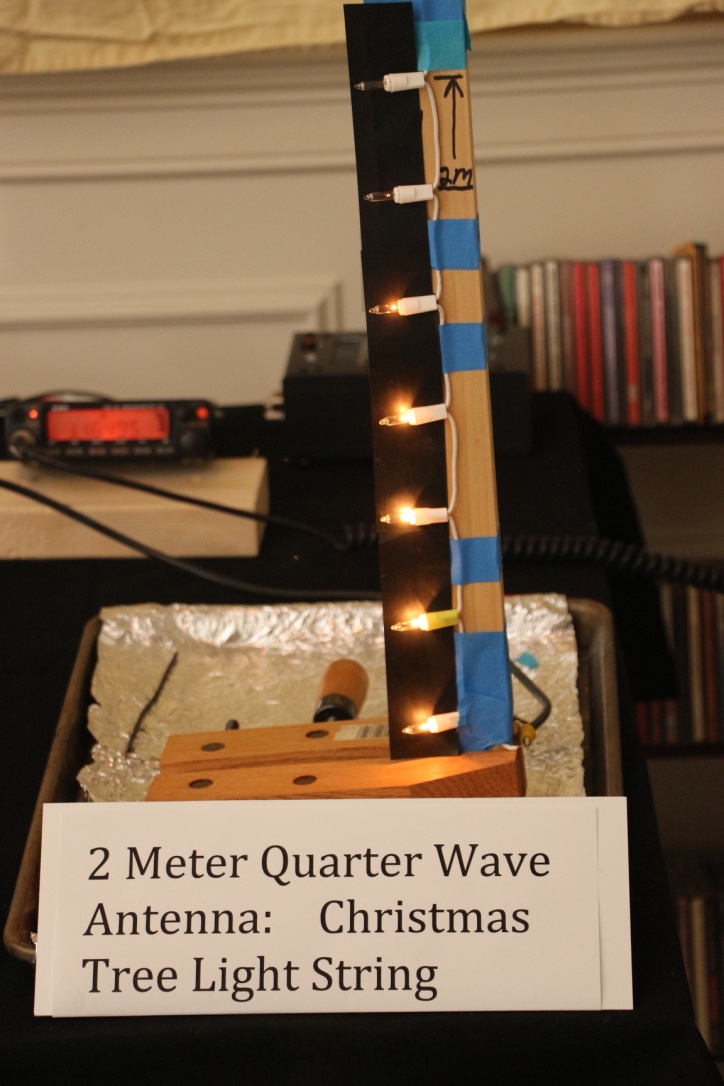
Transmitting mode. Note pattern of lit and unlit lamps.
Figure 3 – Transmitting mode. Note pattern of lit and unlit lamps.

The energized antenna with 15 watts RF signal is seen in Figure 3.  Compare the pattern of lit and unlit lamps with the current profile sketch shown in Fig. 2b.  The three lamps, counting from the picture bottom are brightly lit from an RF current.  Lamps 4 and 5 show progressed less light indicating a lower RF current.  Lamp number 6 is barely lit and number 7 is dark indicating together very little to no RF current at the element top end.  The light pattern is a clear mimic of the diagram in Figure 1b.

Demonstration of the Voltage and RF Radiation Profile on a Half Wave Dipole Antenna

The voltage profile on a center fed 1/2  wavelength dipole is seen in Figure 1b. As mentioned above, the voltage is zero at the dipole center and increases in monotonic fashion to a maximum value at the antenna ends.
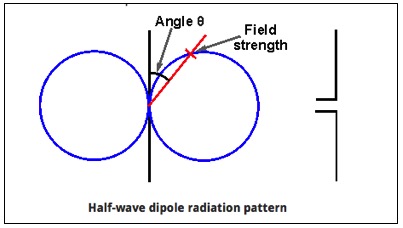
Illustration of Dipole RF Radiation Pattern
Figure 4 – Illustration of Dipole RF Radiation Pattern

The familiar RF radiation pattern of a dipole is shown in Figure 4 (taken from the cited source for Figure 1).

We are all well-schooled on the pattern, so I will just list the three key facts.  First, the RF radiation is broadside to the antenna axis. Second, the RF field intensity is equal on the left and right sides of the dipole axis (i.e., there is no discerned “front to back” sidedness. Third, there is (theoretically) no RF radiation off the ends of the dipole wire.

The dipole voltage profile and the RF radiation pattern can be demonstrated using the basic dipole element of our “Lego Style” antenna and two simple tools. The voltage profile, or more correctly, the electric field strength around the dipole is sensed by a small fluorescent light tube.  The actual RF radiation from the energized dipole is sensed by the flashlight lamp-bridged receiver antenna introduced last month in Part 1 of this series.

  1. Direct RF Radiation Visual Detection

The video below (double-click in the picture box) demonstrates the use of the lamp-bridged receiver antenna to detect radiated RF power.

The video shows the flashlight bulb bridging the handheld receiver antenna lights up when it detects an RF signal that matches its resonance point at 146.550 MHz  The light bulb is dark with no transmitted RF power from the Lego dipole. Keying the radio energizes the Lego dipole and the receiver lights up about equally on the right and left sides of the Lego antenna.  This reflects the figure 8 pattern of RF power illustrated in Figure 4.

  1. Voltage Profile witnessed by the Electric Field Strength.

The next video (double-click in the picture box) employs the fluorescent light bulb to map the voltage profile along a dipole arm by sensing its electric field strength.  An RF electric field causes a series of chemical reactions within the light bulb that produces a bright fluorescent light.

The light bulb is dark when the Lego dipole is not transmitting an RF signal. Keying the radio generates an RF signal and the associated electric field around the dipole element causes the bulb to light up. Note, the bulb is very bright adjacent with the side end of the dipole arm and extinguishes as it is moved to the dipole centered feedpoint. Also, the light is dimmed at the antenna tip in-line with the dipole axis.

The voltage profile map seen in the fluorescent light bulb video augments the RF signal map seen in the lamp-bridged receiver antenna video.  Also, it extends our demonstration to the expected observation that there is (theoretically) no RF radiation off the end tips of dipole elements.

CONCLUSION 

In this second installment of our Lego-Style Antenna series, we have shown how this construct together with two simple tools can be used in the classroom to demonstrate basic properties of the ubiquitous dipole antenna; Namely, criterion of resonance, generation of RF radiated waves, the polarization of the RF field (horizontal or vertical) and the general propagation geometry of these waves relative to the antenna orientation.

In Part 3 and last installment of this series we will continue to use the Lego-Style Antenna in its’ Yagi configuration together with the two accessory tools to show how properly designed and placed reflector and director elements on the Yagi antenna can shape and control the dipole rf signal to increase gain via spatial directivity  and improve signal selectivity by the “front-to-back” ratio that it creates.

73 & Hope to hear you on the air,

Dave N1RF
Upcoming Tech Night Suggestions Forum

At our most recent Tech Night meeting on Sept 12, at the end of the meeting, Fred (AB1OC) asked Brian (AB1ZO) to list a few of the upcoming tech night events.

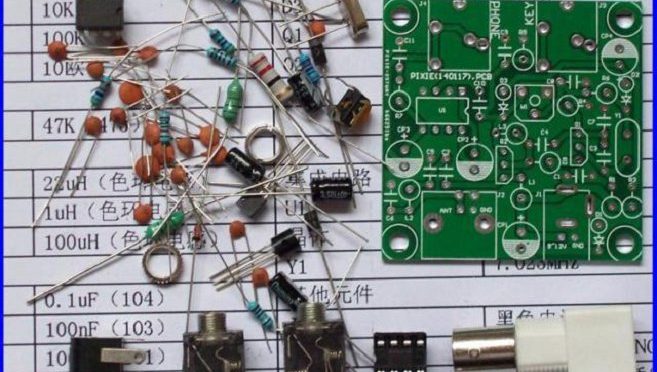
One such event would be to host a kit-building tech night. Plans are in the works to secure Pixie QRP kits (which run in cost from $3-$13) or some variant of this and assemble the kits during the allocated time. It’s expected that more experienced HAMs can mentor newbies in endeavors such as these.

Secondly, an informal poll was asked of members in attendance regarding the types of topics that would be of general interest. These included:

  • Low-band antenna discussion: Due to the decreasing sunspot activity, “40m is becoming the new 20m”. What options to HAMs have to get on the lower bands, particularly if you are real-estate limited?
  • Receiver vs Transmit antenna discussion — options for both
  • High-frequency terrain analysis (HFTA) in order to better understand propagation effects of one’s signal
  • Making sense of the influence of sunspot activity on amateur radio in general. Some energy, for example, could be dedicated to interpreting the sunspot GUI that appears on the website after login and understanding the science of the ionosphere.
  • Working more with test-equipment kits and how to use them. This may include oscilloscopes, spectrum and network analyzers, frequency counters, signal generators, building CW paddles/keyers, and soldering kits.
  • Using RTL-SDR dongles (or again some variant) and using them in small DIY projects that we could potentially complete in the allotted time.

I do want to say a few other things:

  1. Since our club is growing, and many new people are joining, I do want to stress that it is important that sometimes we “recycle” old Tech night topics in an effort to better educate our newer members. In this capacity, I would again hope that veteran members could help train younger ones. For example, I cannot solder to save my life. I would love some training during a surface-mounting tech night (since I couldn’t make the last one) and have someone experience show me the ropes.
  2. Many of you are working on interesting projects at home. No matter how small or large you think it is, I am 100% certain there are a group of people within the club who would like to hear what you have to say. So if you would like to present at Tech Night something you have been working on, please do not hesitate to email me at [email protected].
  3. I also want to solicit your feedback on this blog as well as my email for any other topics. The more suggestions we have the merrier! It’s important we adequately represent the interests of as many members of the group as we can.

In the coming weeks, I will start to construct a more concrete list of potential Tech Night topics, but help me — help you 🙂 Thanks for reading and see you on-the-air.

Best and 73,
Brian (AB1ZO)

I Can’t Believe My Antenna’s Up!

I suppose the title could also be: (or how I learned to stop procrastinating and finally put up my HF antenna).

Well, I did it. I finally got my HF antenna up after months of admiring it through the plastic wrap and having the world’s most expensive paperweight (IC-7300) sitting in my metashack (how could I really ascribe any reality to it when it was still merely a concept). What I would like to accomplish in this article is not only a description of the construction etc. but also of some mental gymnastics, I had to do in order to get to the finish line.

Way back in February, I was able to get my General license. I was pretty stoked (to use the common tongue) and looking forward to getting it up and going. This required, essentially, two things: a radio and an antenna. Easy-peasy, right? The first really was easy. I wanted a 7300. Who didn’t? The proverbial ICOM bandwagon drove by my house daily. Several times a day while banging on a few drums. So, I did my homework as best as I could, talked to a few folks, and with not much arm twisting, bought a rig. Now I needed the antenna. And some drums…

For this portion of the ordeal, I ended up doing my homework a little more. I spoke to Fred and Anita at length about their choices: read their blog, saw their own setup in person, read posts in the Elmering session of Nashua ARC’s website, read comments on eHam.net about various antenna types. Some factors to consider are — in no particular order:

    1. Budget
    2. How much help you will have to put this up
    3. Aesthetics
    4. Available real estate
    5. How many bands do you want to work

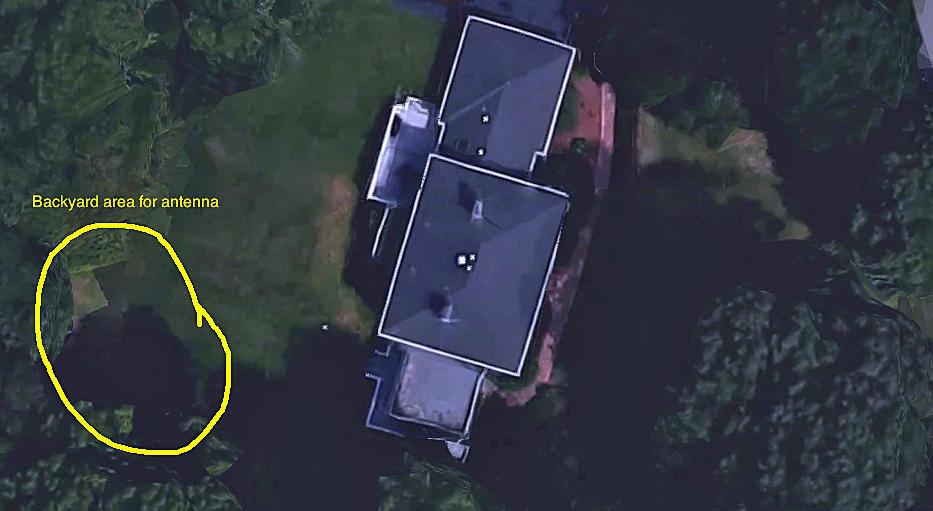
At my QTH in MA, I have 0.5 acres in the front and back.

My QTH in Tewksbury, MA

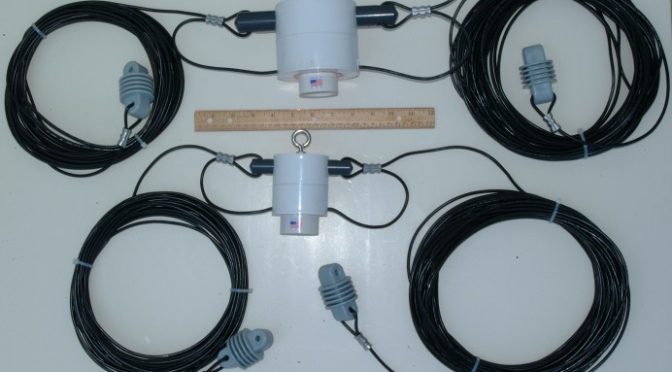
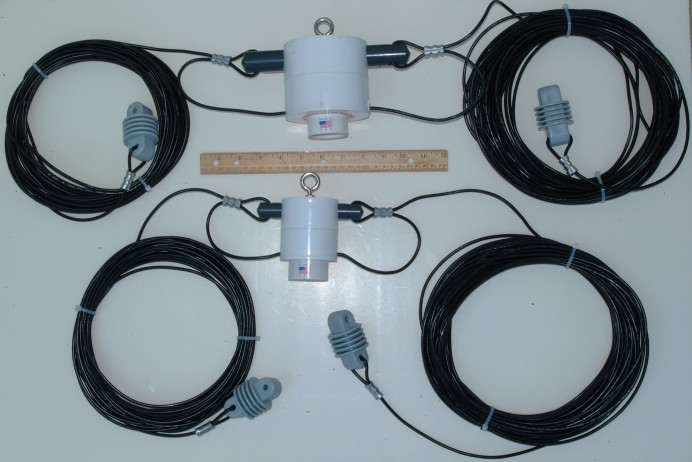
Having done my homework, I decided to go with the Buckmaster 7-band off-center fed dipole rated for 3 kW.

First Antenna - 3 kW antenna at the top
3 kW antenna at the top

I think the price point was a bit north of 300 bucks. Having made up my mind, I didn’t do anything about it. Upon reflection, I think I really didn’t act because work consumed me until mid-May. I literally had no free weekends for months, so there was no rush. In the interim, Fred and Anita had opened up their station for use, and I took joy in hearing about others’ QSOs for a while.

In order to still feel like a HAM, however, I decided to take my Extra exam in May. Once I that got out of the way I bought the Buckmaster in June on one fateful Thursday afternoon, and again, there it sat in the meta shack until September. Excuse #2: Honestly, with a project this big (at least for me) I think I was a bit gun-shy to get it up. I felt unqualified to do it; maybe even afraid to fail amidst all these competent people in the club.

Up until now, this may have read as Dear Diary, so let’s get to some actual station construction! Labor Day weekend was the ticket.

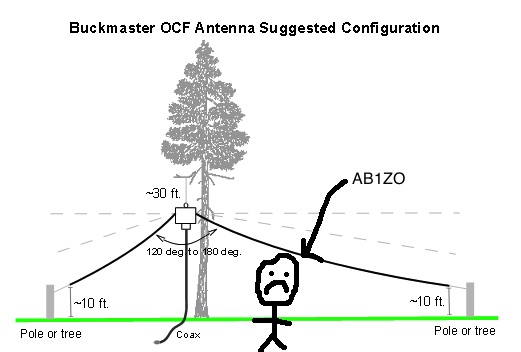
Good grief was this tough! Probably 85-90% of the total time was spent trying to figure this out. Mainly because, looking at the graphic, I had to get this about 35 ft. in the air. I got frustrated pretty quickly…

Buckmaster OCF dipole installation picture. Right from their website

Now maybe that doesn’t seem like it’s that high, but I assure you, it becomes pretty darn high when you keep failing. So thinking about the problem and researching on the internet led me to some methods to try to get a rope up in the tree:

  1. Use a potato gun
  2. Call folks from the club to come lend a hand
  3. Rent a scissor lift from Home Depot
  4. Use a bow and arrow
  5. Use rope tied to a rock or stick and try to launch over the branch I want.

Here was what the jury decided on each of these options:

  1. Built one! Fires really well, but had issues initially with sparking it in the combustion chamber. Turns out the reason was due to insufficient amounts of butane getting into the chamber. In any case, I abandoned this as a choice. But who’s to say I can’t be mischievous at a later date.
  2. I felt bad bothering folks despite one ethos of amateur radio is to Elmer each other, so I didn’t ask for help. Bad news bears to those of you in the same predicament.
  3. Too expensive for the little time I needed it. I think Home Depot (spelling error intentional) wanted something in the neighborhood of 200 bucks or more.
  4. Don’t have one and nearest friend with one lived in Carlisle. Would have to work around his schedule and at this point, I was thru being patient.
  5. Rock idea worked reasonably well, but honestly, the best option was to get a stick and tie nylon fishing line around it. I have a pretty good arm it turns out, so I tied fishing line around the stick and started throwing.

In full disclosure, the elimination of these options takes us from Friday to Monday. Wisps of steam could be seen emanating from my ears.

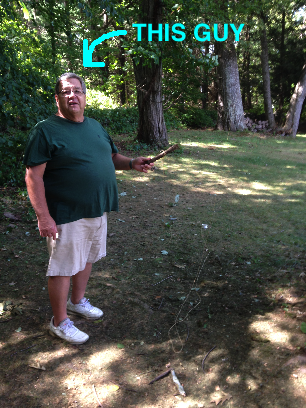
The stick was attaining the requisite height and hitting where I needed it to. The huge snag (no pun intended), though, was the fishing line was getting caught in the branches on the way down. Yet another problem. Cue engineer father-in-law. He’s the guy labeled “this guy” in the picture.

Helper Dude
Helper Dude

He recommended winding a large amount of fishing line around the stick (but not all of it so that there would still be some left over on my side of the branch) so that when it came down the other side of the branch, it would unravel and not be as likely to get caught. This worked like a charm!

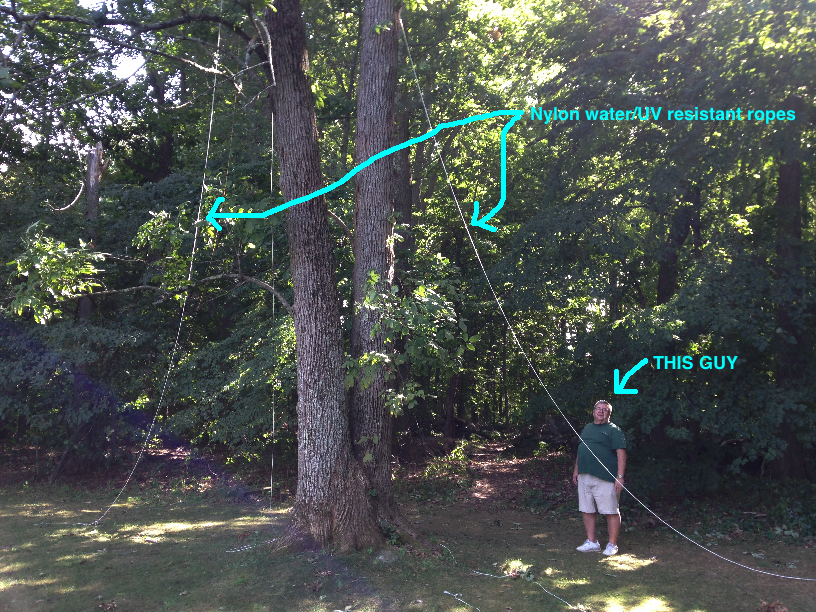
With the fishing line on either side of the branch, we tied the actual nylon, water / UV resistant rope (which I picked up at Home Depot) somewhere 25% up my side of the fishing line and then got on the far side of the branch and began hoisting it up. This also worked out very well.

First Antenna - Same father-in-law and hanging ropes which will support the Buckmaster
Same father-in-law and hanging ropes which will support the Buckmaster

Finally, with the rope I actually want to use over the tree, I tied the Buckmaster to one end of the rope on my side of the branch and then raised it up. I lowered and raised it a few times to make sure it wouldn’t get caught in the tree at any place. I tied off the free end through an eye screw that I screwed into the tree.

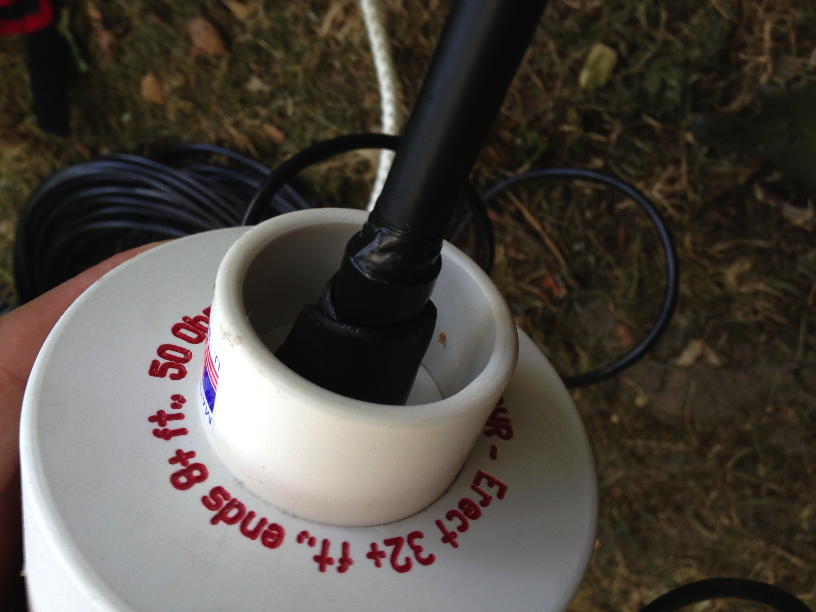
The coax I used was LMR-400. Again, doing my homework, I decided to splurge and buy 200 ft of coax but without the PL-259 connectors. I did this because I wanted to be able to cut the coax where I wished and would subsequently learn how to attach the connectors myself. This too turned out to be a relatively easy job. I picked up some connectors at the Boxboro Hamvention and borrows Dave’s (N1RF) crimper set (with dies) to attach the connectors. Taking my time, I was able to do both ends of the 200 ft coax in about 30 minutes tops. I also purchased some Super 88 electrical tape from Home Depot as well as used Scotch’s 2228 Moisture Sealing Electrical Tape (some other folks use CoaxWrap) for weatherproofing. I applied this following Fred’s suggestion on his blog.

First Antenna - Layers of super 88 and weatherproofing electrical tape fastened to antenna connection point
Layers of super 88 and weatherproofing electrical tape fastened to antenna connection point

With the feed-point setup, I then purchased two more nylon, water/UV resistant ropes to connect to the Buckmaster’s insulators. I found that the 3/16” diameter by 100 ft. rope worked well (3/16″ fit nicely through the insulators’ 1/2″ holes), again purchased at Home Depot. Shirley, the cashier, shot me a smile after ringing me up for the umpteenth time. To temporarily tie these off, I terminated the rope through some more eye screws I screwed into trees in my yard. But for the final installation, I will again follow Fred’s advice from his blog post.

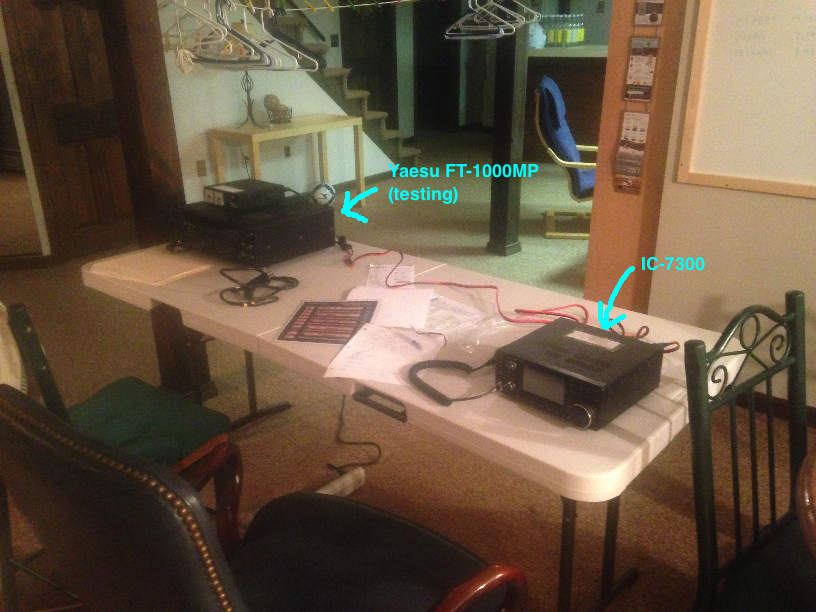
Then, I ran inside, ran the coax through the window thereby performing the transformation of the meta shack into a proto shack! (Proto because it’s in the process of getting changed and upgraded) Ta da! Prestidigitation! That night I worked Brazil and the Czech Republic on 20 and 40 m respectively, and Australia around 0615 the next morning on 20m.

Protoshack, Coax not shown.
Protoshack. Coax not shown.

My follow up projects:

  1. I never mentioned grounding. I do have an 8 ft copper ground rod that I will install. I bought lightening arresters from DX Engineering: I have the kind that allows the passage of DC voltage which is needed for utilizing an antenna switch down the road. Since I plan on buying an antenna switch later, this seemed like a good option. This entire installation will take some time, so I need to find a free weekend. For now, I am only operating when the skies look perfect!
  2. Install my 15 m dipole that I bought from the HRO and covers the band not covered but the Buckmaster. This will likely happen in the Spring. For reals.
  3. Track down RF interference sources in my home and install the necessary chokes and beads. I’m kind of looking forward to this step.
  4. Find a final resting height for the radiating wires of my Buckmaster. I have a cousin with tree climbing equipment. Once he comes over to trim some branches etc., I am going to try and make a 180-degree angle with the wires as best as I can. Additionally, my wife wants me to switch out the white, nylon, water/UV resistant rope with dark colored rope since it’s a bit too visible.

Once I got going, I really had a blast. If I can be of any help to anyone about this, please feel free to send me a reply or contact me on the club website. Thanks a lot for following me through the whirlwinds that are my thoughts, and see you on the air!

Best and 73,

Brian (AB1ZO)

Radio Amateurs Developing Skills Worldwide