Tag Archives: SDR

Winter Field Day 2026 6 Band Multiplier Prep

It’s that time again, and Winter Field Day will be here before you know it.   Planning is well underway.  Once again, Fred and Anita have opened their home and shack for Winter Field Day operation, and we will be operating QRP (10 Watts or less), which is a score multiplier.   This year a new multiplier category was added to operate on an additional six (6) bands to make it a total of twelve (12) bands.

This past weekend, Fred, AB1OC, and I tested six additional bands with overwhelming success from his QTH to a mobile location I operated, acting as the roving team.   They say sharing is caring, so I thought I would write a blog about how we got here and the tools that helped along the way.

Winter Field Day Rules

All the rules are available here; the three specific ones to note are as follows.

Bands: All Amateur bands may be used except 12, 17, 30, and 60 meters. To qualify as a band worked, at least one valid, two-way QSO must have taken place on the said band during the event.

Make three contacts on at least six (6) different bands: Conditions may change throughout an event. Log operations on at least six different bands by making a minimum of three contacts per band. You should be able to accomplish this objective by utilizing HF, VHF, and UHF frequencies. Don’t forget about 1.25 meters (220)!  It’s an excellent band for local emergencies. OM x6

Make three contacts on at least twelve (12) different bands: Was six too easy?  You may have to pull out your microwave equipment to achieve this one. Log operations on at least twelve different bands by making a minimum of three contacts per band. The six bands from the previous objective count toward this one. OM x6

The first 6 bands are the typical contesting bands: 10m, 15m, 20m, 40m, 80m, 160m.   No problem for the AB1OC shack.   The other 6 bands will be 6M, 2M, 1.25M, 70CM, 33cm, and 23cm. Here are the challenges.

1) We can’t use a repeater.  Simplex only.
2) Since it is VHF and UHF, we need a decent Line of Sight (LOS) with little or no trees to cause interference.
3) We are running QRP, so distance is a factor.
4) We need equipment for the 33cm and 23cm bands.
5) We need at least three contacts.

VHF/UHF Roving

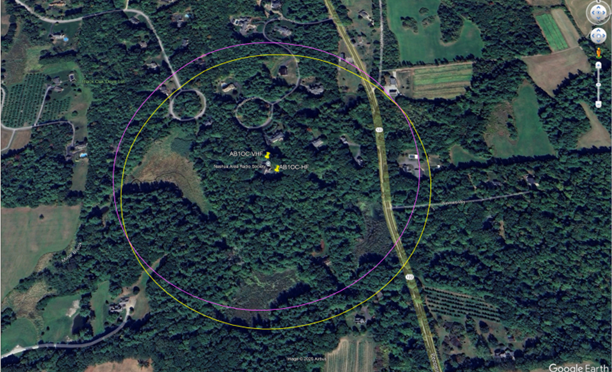
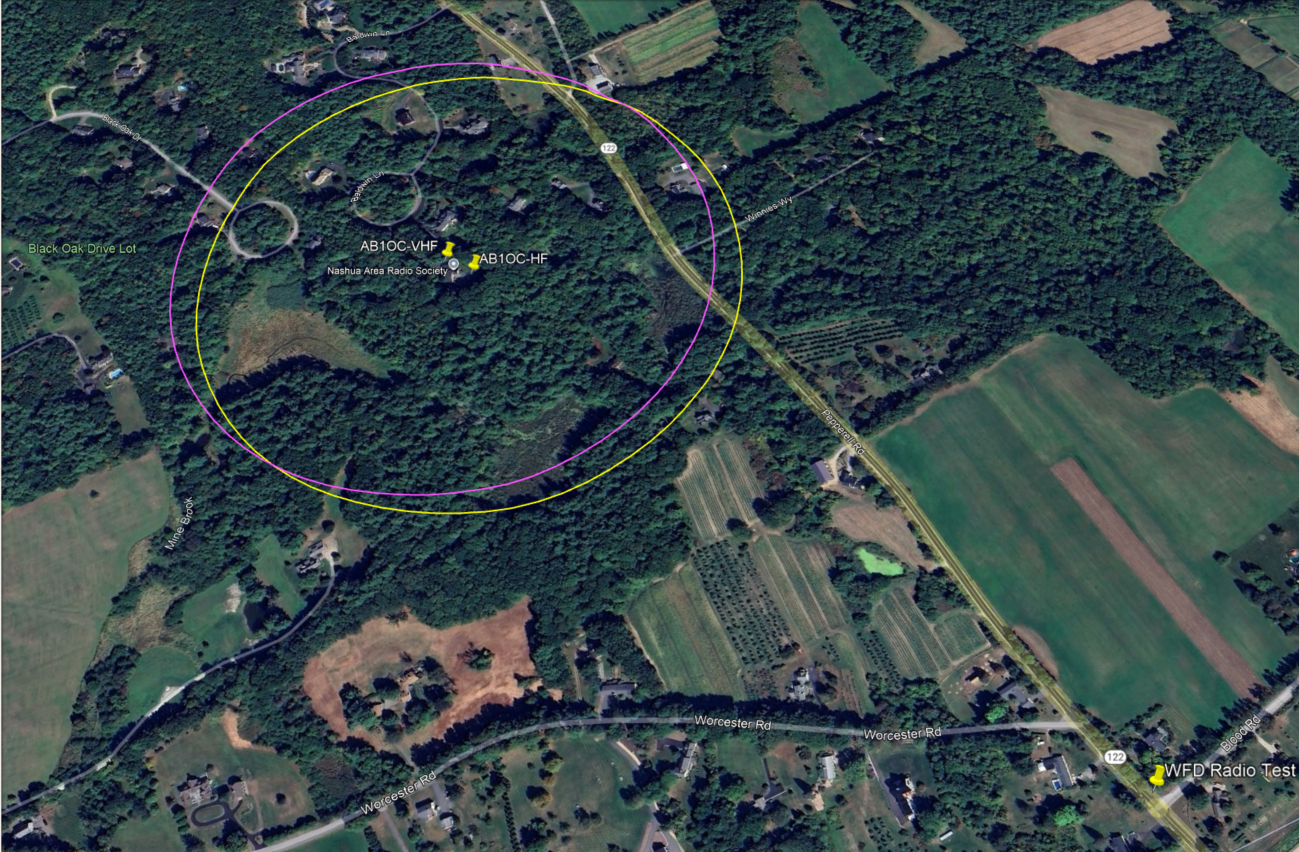
As part of the planning and to address these problems, we decided to send a Roving team to serve as the club’s three contacts.  Rules dictate that contacts must be outside a 1000 ft circle from the Field Day base of operation.    I started by using Google Earth Pro, setting the coordinates for AB1OC QTH and using the circle ruler to determine our 1000-foot perimeter.  The two circles represent the VFH and HF Towers’ location.
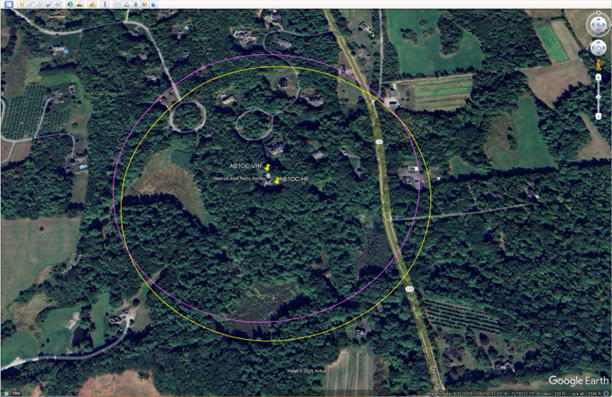
Based on the knowledge of the surrounding area, we chose the location southeast of the intersection of RT 122 and Blood Road.
Then we used the HeyWhatsThat website to generate ideas for where we could get a signal based on the topology.
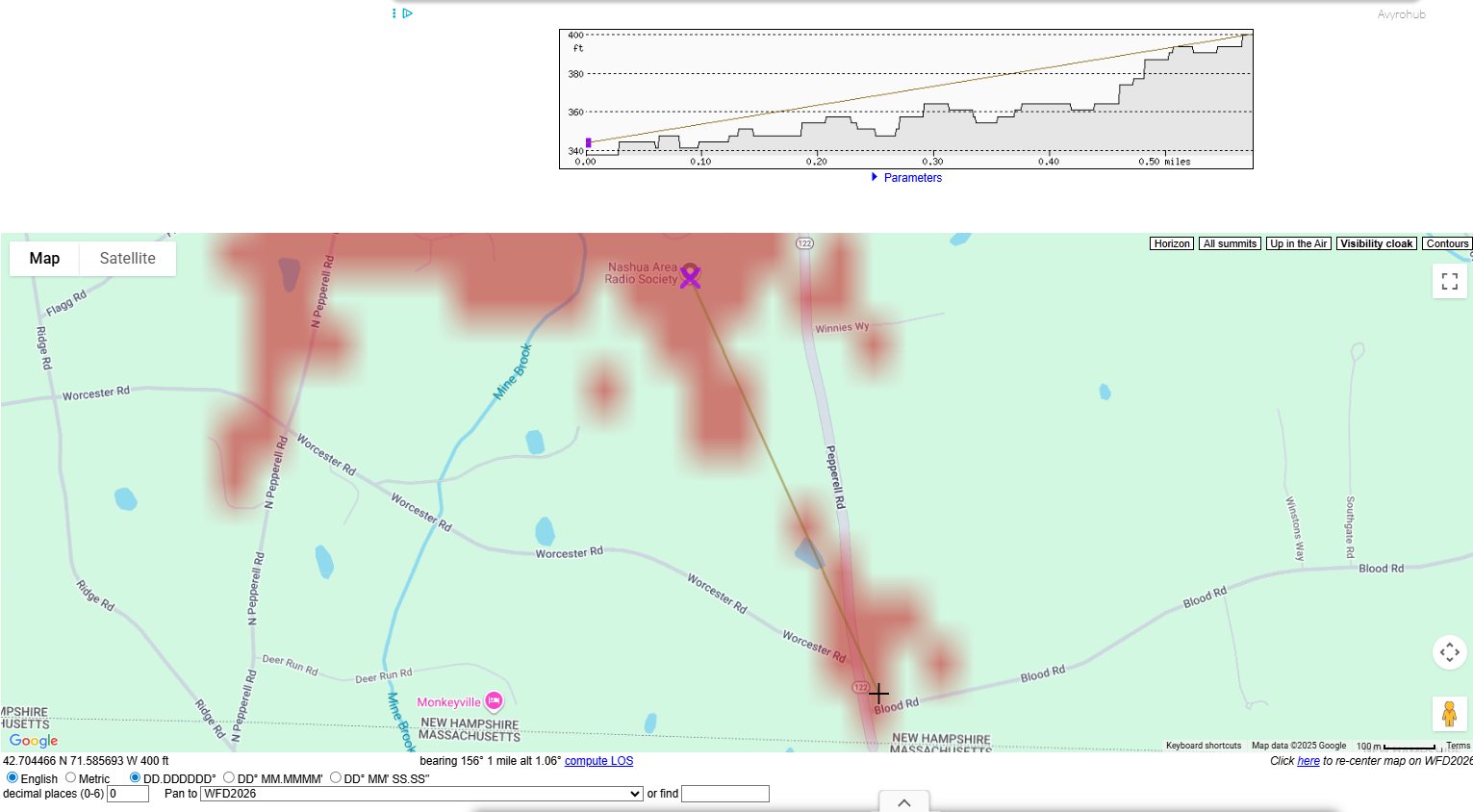
And the Scadacore LOS website to confirm the topology.
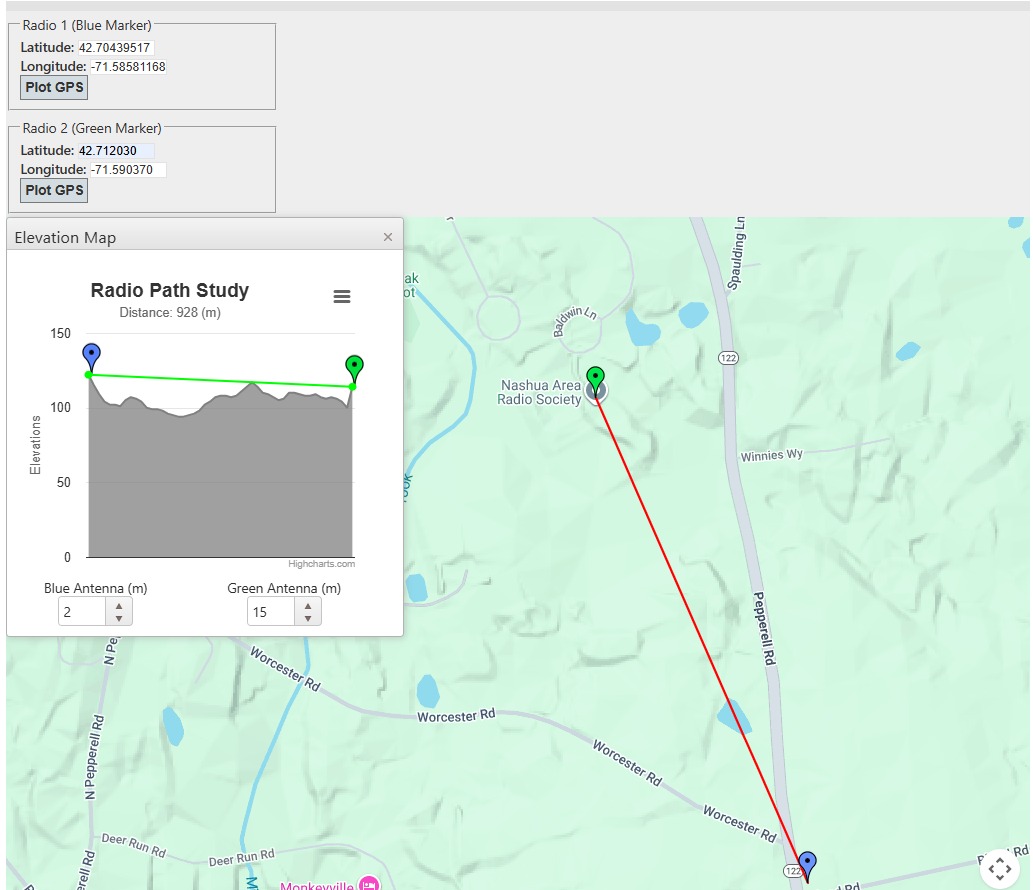
Both are very simple to use.

We looked at a few other locations, but tested this site first and had great success, so we called it a win for Winter Field Day.

Another interesting tool is Radio Mobile. This software is a popular, free radio propagation simulation software for planning wireless networks (especially for amateur radio).

They offer both web and download versions.   The download version has more features and is worth a peek.   This YouTube video is a great tutorial that walks you through installing your first propagation map.   Could be a Tech Night session!

I started loading all the variables, but since our field test was successful, I didn’t complete the simulation.

Rover Radios and Antennas

For equipment, Fred’s SDR can handle all the required bands, and his antennas are up to the task.
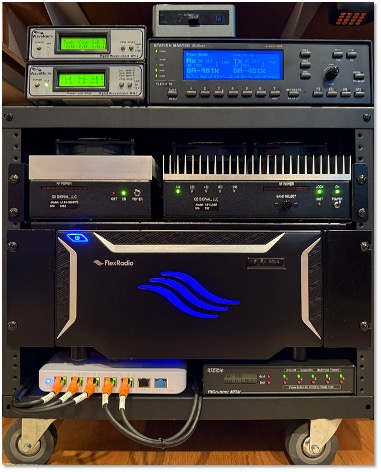
15 Band SDR Remote Gateway at AB1OC

Here is what we are working with for antennas at the base station:

  • 6m Loop Yagi (14.1 dBi)
  • 1.25m Yagi (11.9 dBi)
  • 2m Circularly Polarized Yagi (14.4 dBic)
  • 70cm Circularly Polarized Yagi (18.9 dBic)
  • 33cm Yagi (15.2 dBi)
  • 23cm Yagi (17 dBi)

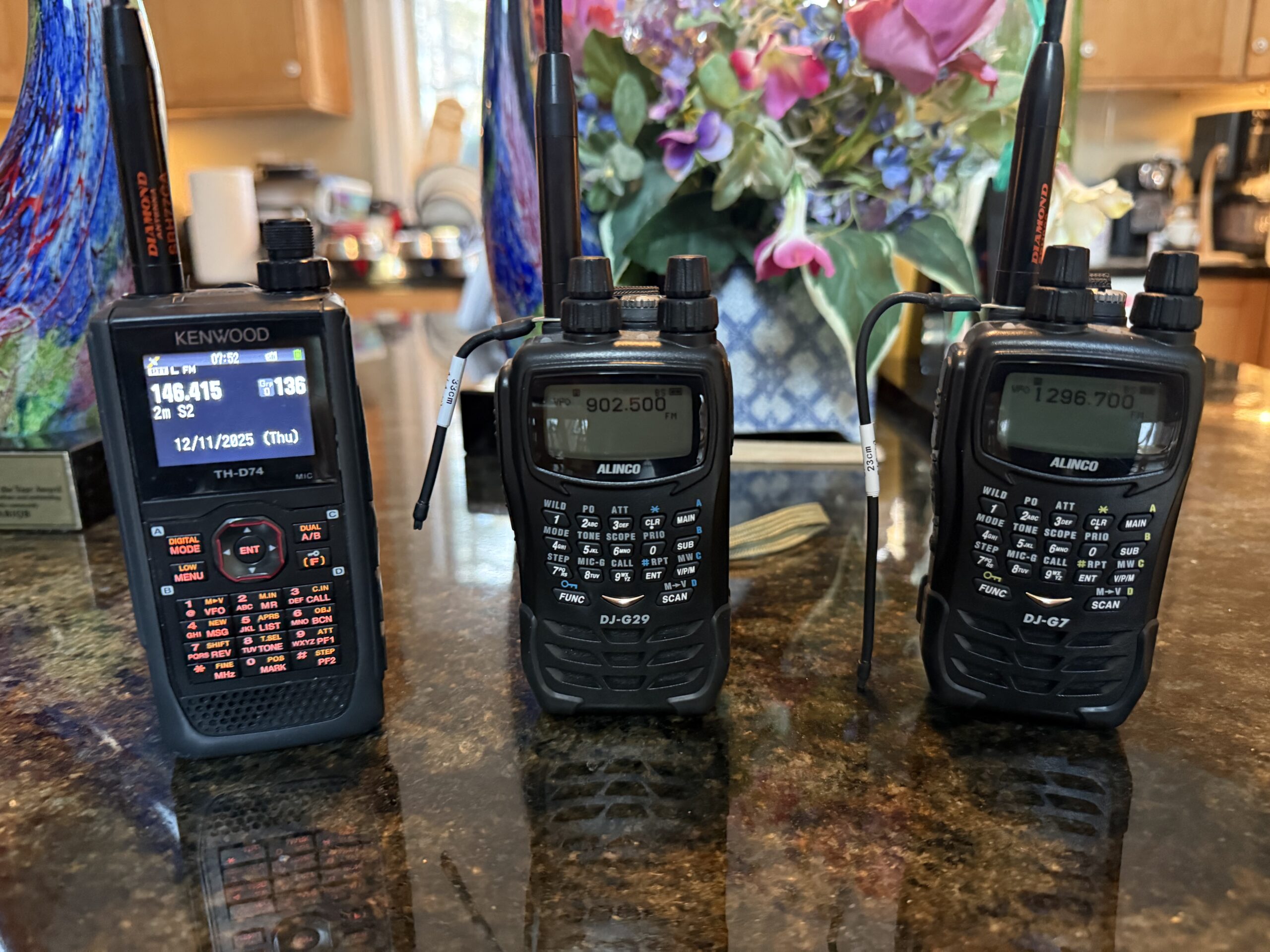
Even at the QRP level, the gain and ability to point the antennas helped overcome distance issues.  For the roving team location, I used a 33 cm Alinco HT with a short radial, a 23 cm Alinco HT also with a short radial, a Kenwood HT for 2M, 70cm, and 1.25m from Fred’s stash—finally, a Yaesu 891 with ATAS 120 Antenna for 6M as part of my mobile rig.
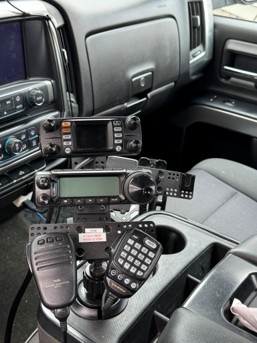
K1BER Mobile Station
HTs Covering 2m - 23cm
HTs Covering 2m – 23cm

Specifically, we tested the following:

2M        146.415 MHz             Vertically Polarized

1.25M  223.500 MHz           Horizontally Polarized

70CM   445.925 MHz           Vertically Polarized

33cm   902.500 MHz             Horizontally Polarized

23cm   1296.700 MHz          Horizontally Polarized.

6M        50.150 MHz SSB      Horizontally Polarized

As we cycled through the bands and our QSO, the signal reports were between 57 and 59 at both ends.  Our 5 challenges were easily overcome.

With a month to go before Winter Field Day, we are ready and excited to have fun, learn, and earn points.   We are still looking for volunteer rovers, which is an excellent opportunity for Techs.   Don’t worry if you’re new; you will have help.   If you are interested in participating in any part of Winter Field Day or in planning, please contact us or join the planning meeting.

Dave, K1BER

PTT Switch for Remote Operation

When the Nashua Area Radio Society’s Student/Teacher Contest Series was first set up, Fred and Anita (AB1OC/AB1QB)  offered up their station to my son Keith (KC1IMK) and other students that do not have a station at home. Fred and Anita have an amazing station at their QTH and you can find more information on it here.

Then COVID arrived and sharing mikes, headphones, and keyboards at other people’s houses are no longer acceptable.  We cannot risk getting each other sick.  Another way is necessary.  Remote Operation is here!

Fred (AB1OC) and Jamey (AC1DC) worked out the kinks for setting up Remote Operation first.  Then Fred invited Keith and me to try it out. After a couple of hours online with Fred to set up, we were on our own.  Contest Calendar showed the Helvetia Contest that night so we pointed the beams toward Switzerland and called CQ.  Several stations pounced on Keith at once. He worked hard with the mouse, bouncing from the radio PTT button to logging in N1MM.  Once the pile-up was cleared, he pulled off his headset and said “I really wish I had a footswitch like Field Day“.

Remote PTT Switch for SmartSDR

Driven to maintain my “Super-Dad” status, I went to work.  I found a few references at the FlexRadio site:

https://community.flexradio.com/flexradio/topics/physical-ptt-for-remote-smartsdr

https://community.flexradio.com/flexradio/topics/remote-footswitch-how-to-lan-vpn-solution

Looked pretty straight forward to build a Remote PTT Switch.  Configure a SmartSDR CAT interface to monitor hardware flow control pins in a standard serial port. The hard part today is to find a serial port.  They have all been replaced by USB.

There are lots of USB to Serial adapter cables available today for around $20 that should work well. I would recommend one based on the FTDI chip.  Jamie (AC1DC) successfully used a Sabrent USB 2.0 to serial from Amazon:  https://www.amazon.com/gp/product/B07RFNHTL9/ref=ppx_yo_dt_b_asin_title_o02_s00?ie=UTF8&psc=1

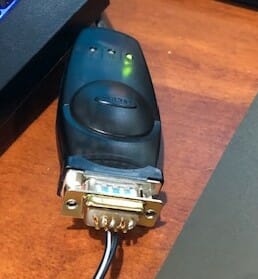
I dug out a 15-year-old Belkin adapter from the back of my shack and installed it.  A new Com3 port showed up in Windows 10 device manager.

USB to Serial Adapter for Remote PPT Switch
USB to Serial Adapter

SmartSDR CAT will detect if RTS is shorted to CTS in a Com port.

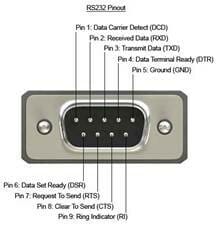
SerialPinOut

This is a very standardized interface and it was easy to find the pin definition.

Pin 7 is RTS

Pin 8 is CTS.

Easy to spot as they are the center two pins of the row of four.

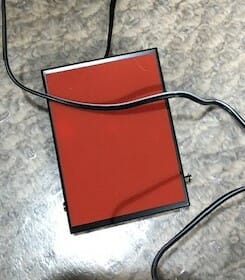
I also had the mating 9 pin D connector in my bin of parts.  One could probably solder to the pins of the adapter, but I would recommend a connector.  I cut off the 1/4″ plug from a footswitch I bought from Amazon. The two leads were soldered to pins 7 & 8.

https://www.amazon.com/Philmore-LKG-Momentary-Foot-Switch/dp/B004GIIYK0/ref=sr_1_7?dchild=1&keywords=30-17090&qid=1587913482&sr=8-7

Footswitch for Remote PPT Switch

To test it, I downloaded ComTestSerial from Microridge  https://www.microridge.com The test software confirmed the hardware worked.  Each time I pressed and released the footswitch the CTS light in the top right corner changed between Red and Green.

Configuring FlexRadio SmartSDR

Now to configure the software. Open SmartSDR CAT and add a port.  Give it a name.  Set Port Protocol to PTT,  set Port type to Serial, set Serial Port to Existing, and set CAT COM to your new Com port.  Mine was Com3.  Set VFO slice A. Select RTS. Hit save.

SmartSDR Setup for Remote PPT Switch
CAT settings

I found some open spectrum on 20m, crossed fingers, and pressed the switch.

Voila!  It transmitted!

With prolonged use, I found my old adapter was not up to the job.  The drivers were not meant for Windows 10.  It missed about 1 out of 10 switch presses.  I have since upgraded and the new Remote PTT Switch works great.

73, Mark/KC1IML

And here is a link to a more current USB to serial adapter for use in this application. You can learn more about the remote operating setup at AB1OC-AB1QB here.

Fred, AB1OC

Remote Operation

While isolated in our homes I am finding amateur radio a very therapeutic distraction from all the chaos in the world. I look forward to Contest Weekends and like a lot of you, I am looking for new projects and adventures in amateur radio. One recently came my way – Remote Operation over the Internet.

Last weekend I got the opportunity to set up my computer to work Fred and Anita’s (AB1OC/AB1QB) station remotely. Fred and Anita have an amazing station at their QTH and you can find more information on it here. Of course, I was game to test Remote Operation out! Fred and Anita would like to open their station up remotely for the Nashua Area Radio Society’s Student/Teacher Contest Series as some of the Youth and Teachers in the contest do not have access to a station at their homes and of course, no one is getting together in groups right now.

Software and Networking

The first thing we had to do was to load the software on my computer and make sure we could communicate properly. Luckily, last week Connor (KC1GGX) and I ran CAT 5e cable from our router through the ceiling in the basement to the computer in our shack. See what I mean about looking for projects! This gave us a good internet connection to work with.

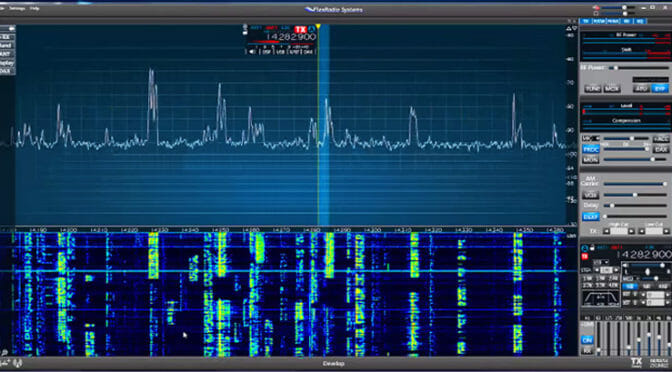
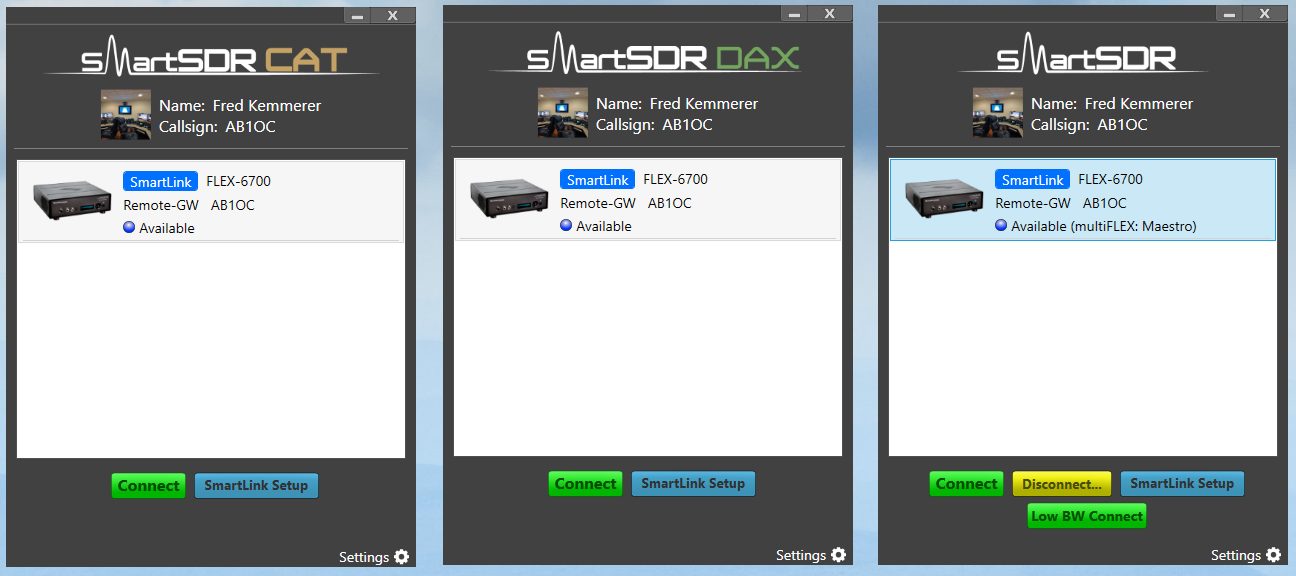
We used the program SmartSDR for Windows to control Fred’s station. The download is pretty straight forward and Fred handled the process of connecting my computer to his station via the web. The SmartSDR has three modules. SmartSDR is the panadapter and “virtual” control face of the transceiver, SmartCAT which controls the interface between your logger and the radio and SmartDAX which is for controlling digital operations.

Remote Operation

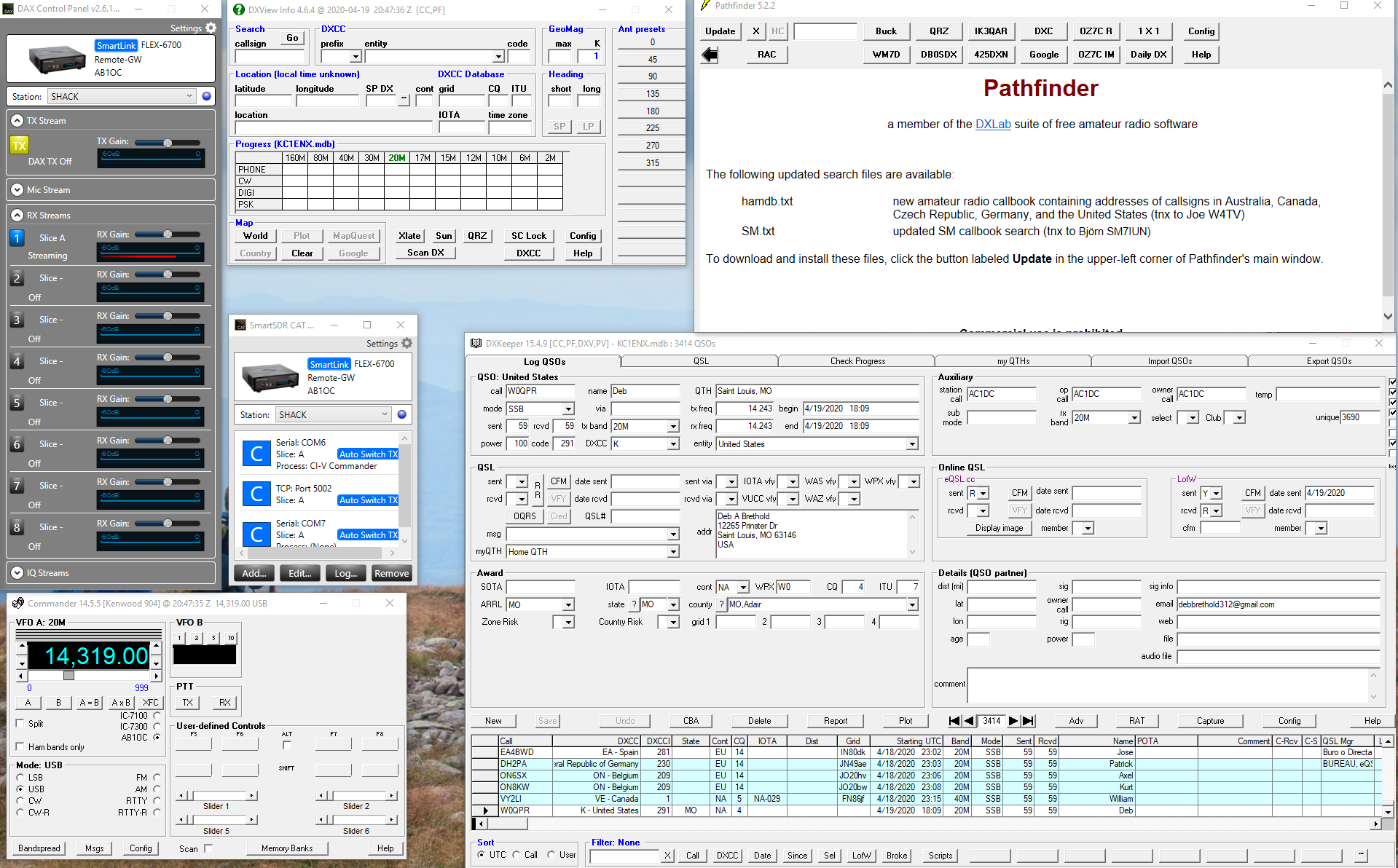
Once Fred got it all configured and talking to my logging software – I am using DX Lab Suite – it was time to test it out and see what it could do.

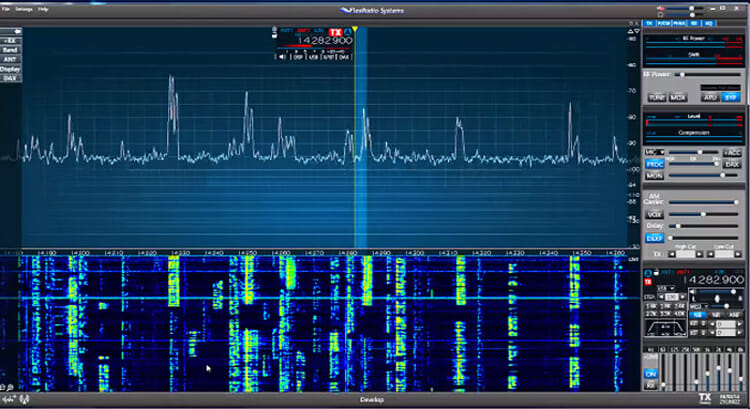
Operating Using An SDR

The signals were very clear and strong and using an SDR really gives you great control of being able to adjust your filters and bandwidth. I was able to move frequencies, change bands, and pretty much anything else I would have been able to do from the AB1OC/AB1QB shack… except rotating the antennas.  We didn’t quite use the “arm-strong” method (moving and antenna manually as we’ve done for Winter Field Day on our VHF antennas), but I would call Fred on the phone and ask to have the antennas pointed in another direction.

Remote Operation

Remote Operation

Pointing Rotating Antennas

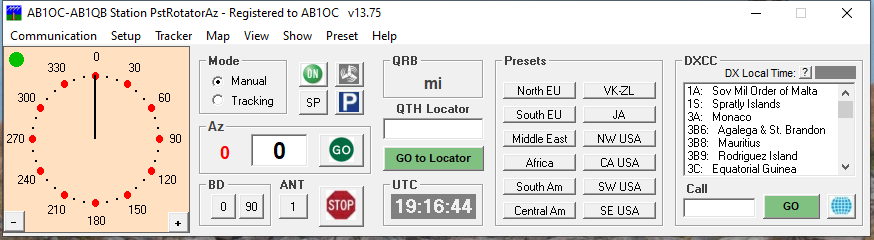
A couple of days later, Fred found a solution for rotating the antennas as well with a program called PstRotatorAz.  This gives complete control of moving the antennas while working remotely.

Remote Operation

Abby, AB1BY, and I operated from AB1OC/AB1QB’s station remotely over the weekend and had a great time. The only drawback we found is when switching between the SDR window and the logging window you would lose the ability to use the space bar as your PTT, which meant a lot of moving the mouse around and clicking.

Getting Ready To Contest

Mark, KC1IML, and Keith, KC1IMK have also set up their station to work remotely with Fred and Anita’s station and have come up with a solution to the PTT problem as well. They used an old USB to serial adapter and soldered the leads from a footswitch to a few pins on the serial adapter and they have the footswitch working.

This has been a lot of fun to try out and big thanks out to Fred for putting in all the time to get Remote Operation up and working!

Jamey, AC1DC

Radio Amateurs Developing Skills Worldwide