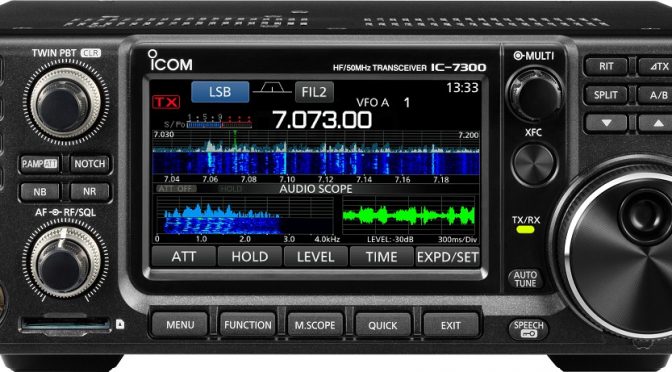
There’s one thing that was annoying me about the new IC-7300, and that was that the USB connection to the computer did it all: radio control, soundcard codec, PTT/CW. That’s great, and …
Source: Icom IC-7300 USB for Radio Control + FSK Keying By: Cedrick Johnson
This is a great article for folks who want to do RTTY with an IC-7300 transceiver. FSK RTTY is much easier to use than the AFSK/Sound Card approach. You can read more articles about digital modes on our Blog.
We’ve been thinking about building a portable Go Kit for VHF/UHF Emergency Communications (EMCOM) and Field Day Applications for a while now. The following is a list of our requirements for a Go Kit –
2m and 70cm operation with FM simplex and repeaters
APRS capability and tactical display for portable coordination
The heart of any Go Kit is the Transceiver. We’ve been using Kenwood equipment for our APRS iGate for some time now and we have had good results with it. Kenwood’s latest 50W transceiver with APRS is the TM-D710GA. This unit provides full support for APRS tactical applications and now includes a built-in GPS receiver making it ideal for our Go Kit application.
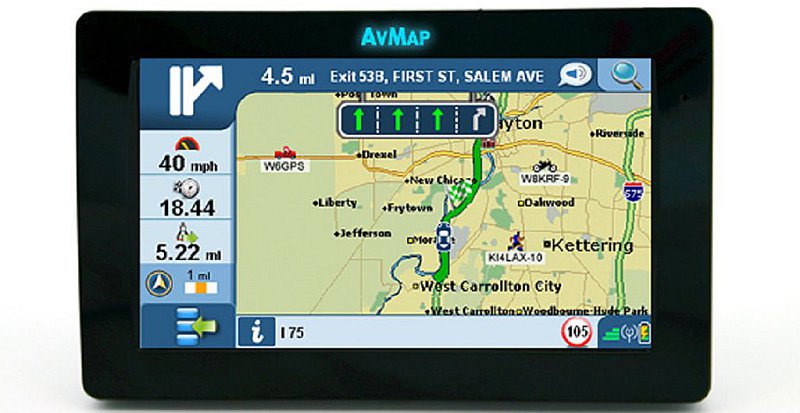
AvMap GeoSat 6 APRS Tactical Display
We have been using the Kenwood TM-D710 along with an AvMap GeoSat APRS display in our APRS iGate setup and the combination works very well. The AvMap display lets one see the location of portable and mobile APRS stations on a map display. This arrangement is perfect for coordinating activities in an EMCOM situation. The AvMap GeoSat 6 APRS display is no longer in production but I was able to locate a nearly new unit on eBay.
EMCOM Go Kit Packaging
iPortable Enclosure
We had a chance to look at the iPortable enclosure at Dayton and decided that their Pro 2 4U deep unit would be a good choice for our Go Kit application. The iPortable enclosures are based on a portable rack mount case and include a DC power system, speaker and headphone hookups, a light, and provisions for a cooling fan.
EMCOM Go Kit Construction
Radio Shelf
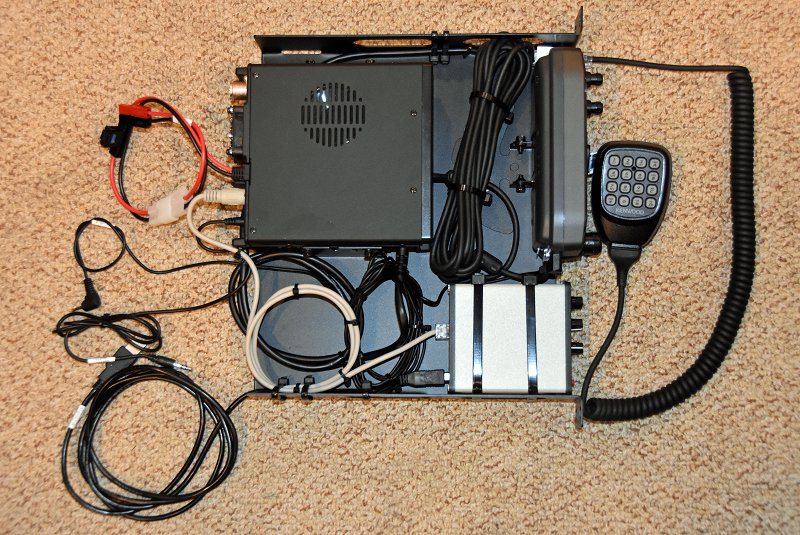
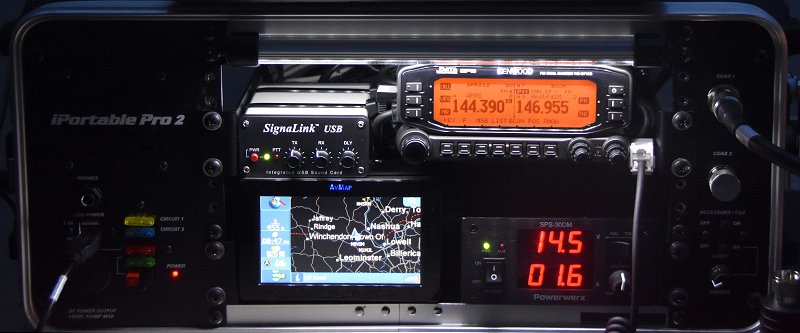
With all the components in hand, we began the construction of our Go Kit. Reliability is important in any portable system like this so we put some time into securely mounting all of the equipment and neatly arranging the cabling. First came the shelf which holds the Kenwood transceiver and a SignaLink USB sound card. A combination of drilling the shelf to secure gear with large cable ties and #8 stainless hardware was used here.
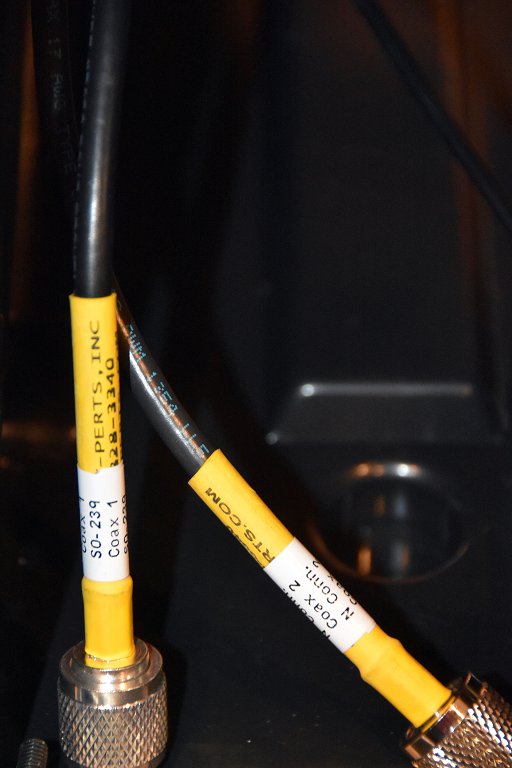
Coax Connector Cables
Our iPortable case was equipped with both SO-239 and N-connectors on the front panel to allow for antennas and feed lines equipped for either connector type. To make the change over between the connector types easy, we installed separate PL-259 jumper cables for each connector. One simply connects the appropriate jumper to the radio.
Display and Power Shelf
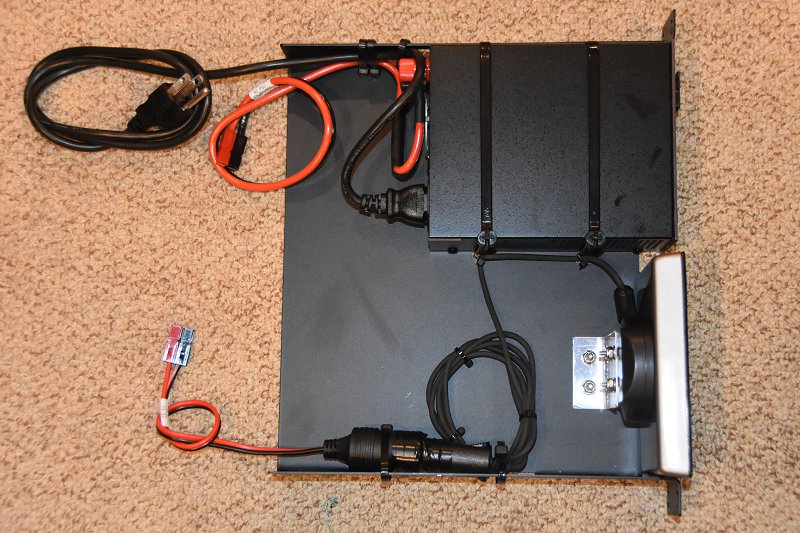
The power and AvMap display shelf were next. The AvMap display mount was dissembled and modified to accept a custom mounting bracket.
PWRgate Battery Interface and Charger
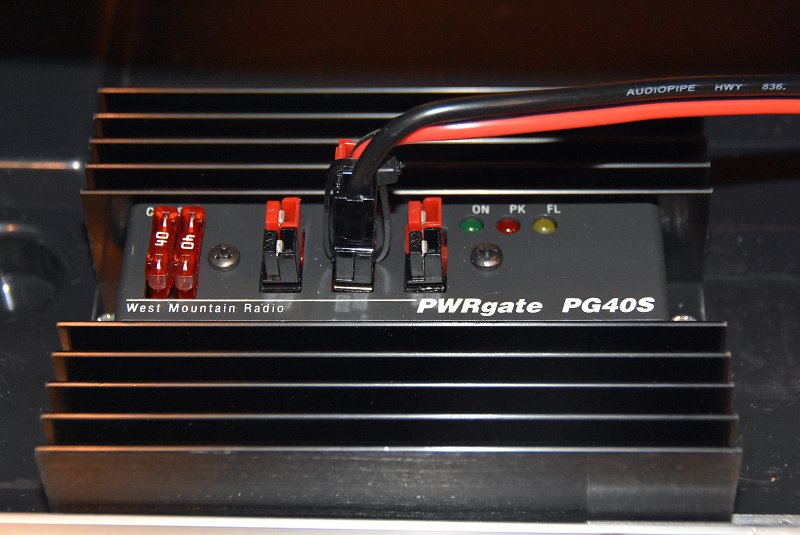
The iPortable enclosure was drilled to mount a West Mountain Radio PWRgate to handle backup battery charging and management. The PWRgate supports instantaneous switching between an AC power supply and a backup battery and can accommodate a wide range of battery types and sizes.
Backup Battery
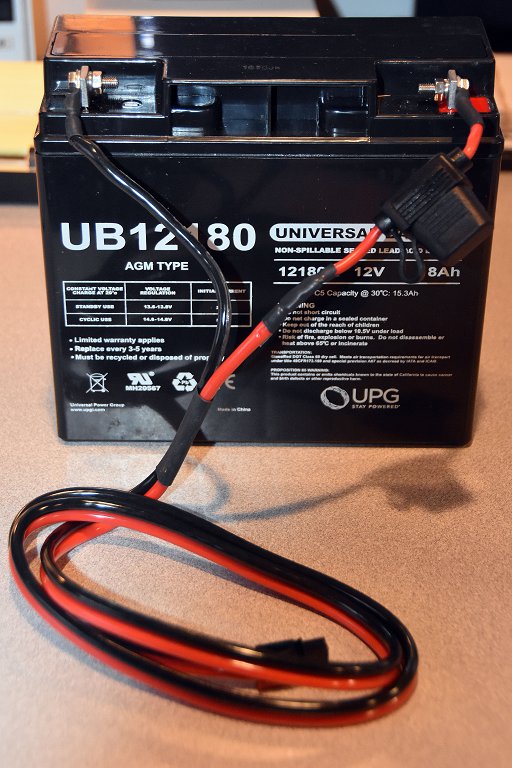
The PWRgate was configured to properly charge our 18AH AGM backup battery. Note the use of a fuse in series with the battery for safety reasons. We used a Powerwerx SPS-30DM adjustable power supply set to 14.5Vdc to operate our Go Kit and to provide the proper charging voltage for our AGM battery.
EMCOM Go Kit Operation
Diamond X-30 Antenna and Mast
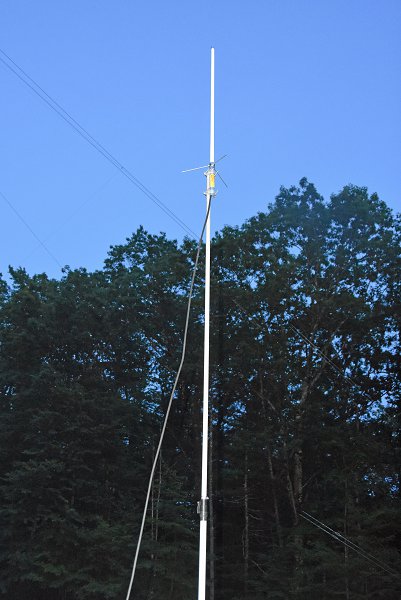
The last piece of the setup was the antenna. We wanted something that was portable, easy to set up and would provide good performance. We choose a Diamond X-30A 2m/70cm ground plane antenna and mounted it on a 12′ fiberglass push up mast. The feed line is made from 25′ of LMR-400UF coax. Several bungee cords are used to attach the mast to a fence post or other vertical structure.
Finished Go Kit In Use
The picture above shows the completed Go Kit in operation. We typically set one side of the Kenwood TM-D710GA to operate as an APRS transceiver and Digipeater and the other side to operate on a local repeater or simplex FM. The SignaLink sound card is used with a laptop computer running Fldigi and NBEMS for messaging applications. The iPortable case has a 13.8V lighter socket which connects to a power brick to power our laptop PC.
Go Kit Packaged for Transport
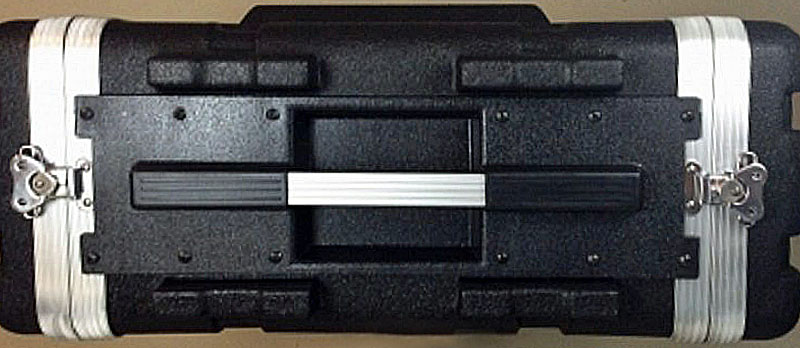
The Go Kit is quite portable when closed. All of the equipment and cable connections are enclosed and protected by the case’s removable end caps. We’ve tested our Go Kit during our club’s weekly repeater net and it worked great. The first real use of our new Go Kit will be at Field Day this year. It will be located in our public information tent and will be used as a “talk-in” system.
Dave Merchant K1DLM, our Field Day chairman, is bringing some 21st Century radio and computer technology to our Field Day setup this year. There are several aspects to this new component of our Field Day plans and the associated IT Test including –
Two Flex-6700 Software Defined Radios running over a network for our new Digital and enhanced GOTA Stations
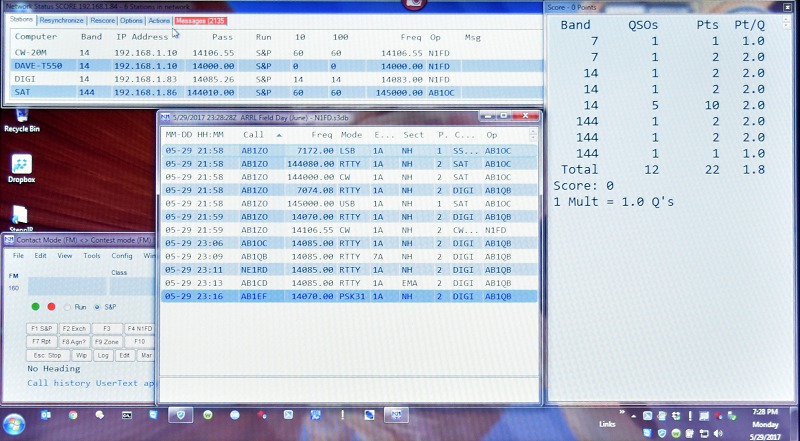
An on-site WiFi Network to enable using the N1MM+ Logger in network mode for sharing of log information, station activity, real-time scores, and messages
A central Score Board and Club Information Computer in our public information tent
2017 Field Day Site – Upper Field Layout
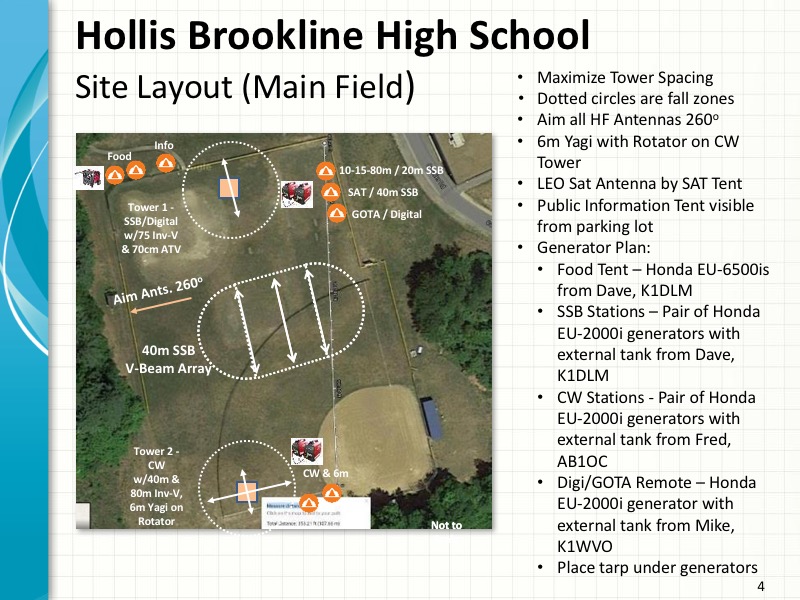
We will again be holding our 2017 Field Day operation at the Hollis-Brookline High School in Hollis, NH. We are planning on using the upper baseball field area as our main operating location. We have decided to add a third tower this year and locate it on a soccer practice field which is situated several hundred feet away from our main operating area. All of our antennas and equipment will lie within the required 1000′ circle but the third tower would situate those operating at that location away from the rest of our group. Dave’s solution to this problem was to set up a network and operate two Software Defined Radios (SDRs) at the lower site remotely from our location on the upper field.
Dave has enlisted club member Piece Fortin, K1FOP to be our IT Chairman for Field Day this year. Pierce has been instrumental, along with Dave, in the planning and testing of all of this new technology. Pierce and Dave have a great deal of networking and IT experience and knowledge and we could not have put together what is described here without them.
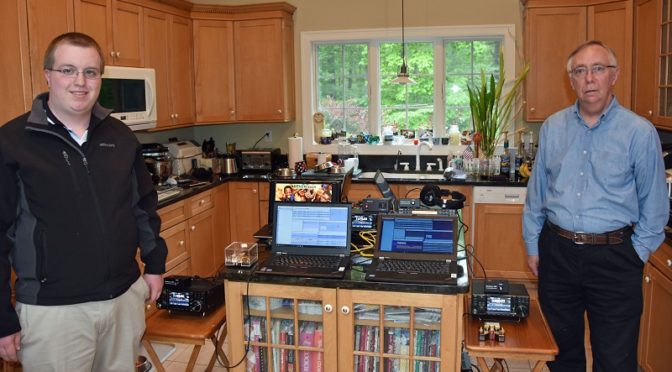
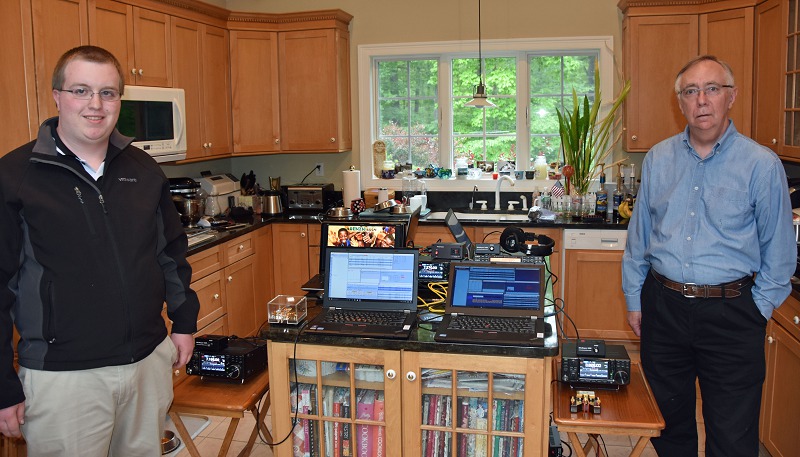
Dave K1DLM, Pierce, Hamilton K1HMS, Mike Ryan K1WVO, Anita AB1QB, and I have gotten together multiple times to set up and test all of this new technology. I wanted to share some more about the equipment and the associated testing (which has been staged in the kitchen at our QTH – thank you, Anita!).
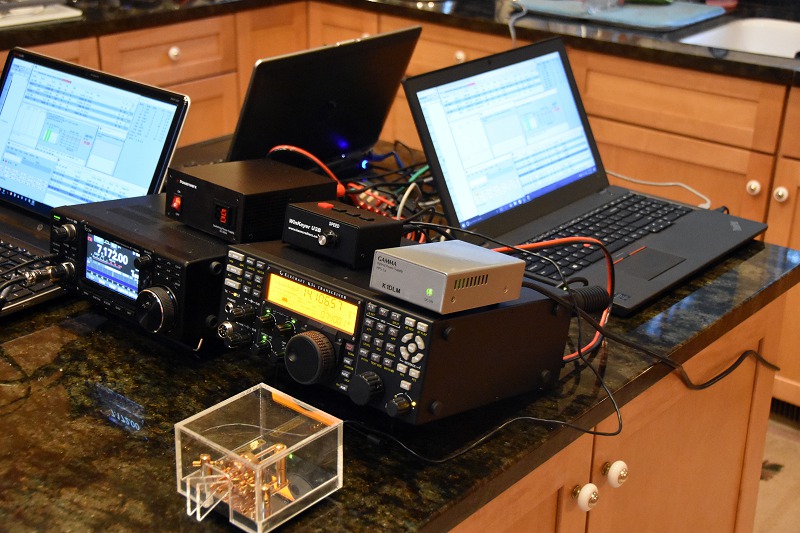
We began the testing process by setting up our 20m CW station.
20m CW Station Test
This station uses an Elecraft K3S Transceiver, a K1EL WinKeyer and the N1MM+ Logger running on a Windows 10 Laptop PC. We used this station to get our basic N1MM+ setup including our Field Day CW keying macros right.
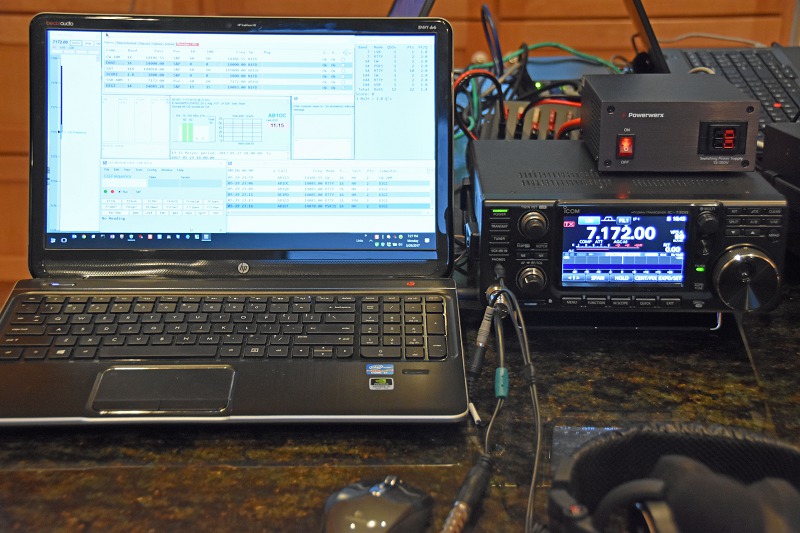
40m SSB Station Test
Next came our 40m SSB station. This setup uses an Icom IC-7300 Transceiver and allowed us to set up and test N1MM+ on the fly audio macro recording and playback. All three of our SSB stations will have on the flyrecording and playback capability which will allow each of our SSB operators to record and use a custom set of audio macros.
Digital Station Test
Next came our Digital Station. This station uses one of the two remote Flex-6700 SDRs.
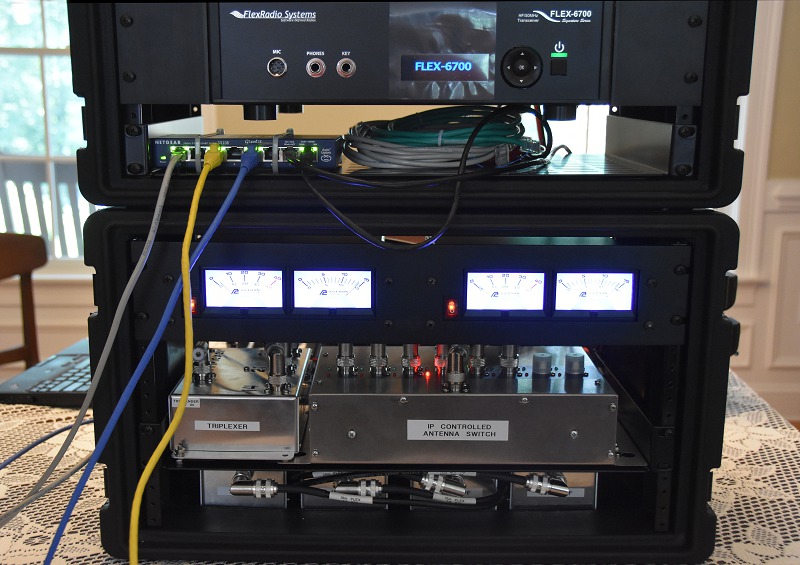
Remote Flex-6700 SDRs and Antenna Switch
Dave, K1DLM put together a really nice package for the two Flex-6700 SDRs and associated equipment which will be located on the lower field. He used a rack system to mount the two SDRs, power supplies, a three-band Tri-plexor, a set of bandpass filters for 80m, 40m, 20m, 15m, and 10m and a 403A 8×2 networked antenna switch. This setup allows either of the two SDRs to share the tri-band yagi or the 40m and 80m Inverted-V antennas on the tower on the lower field and operate on any of the 5 available HF bands. Antenna and filter switching automatically track the frequencies of the two SDRs making the setup simple to use.
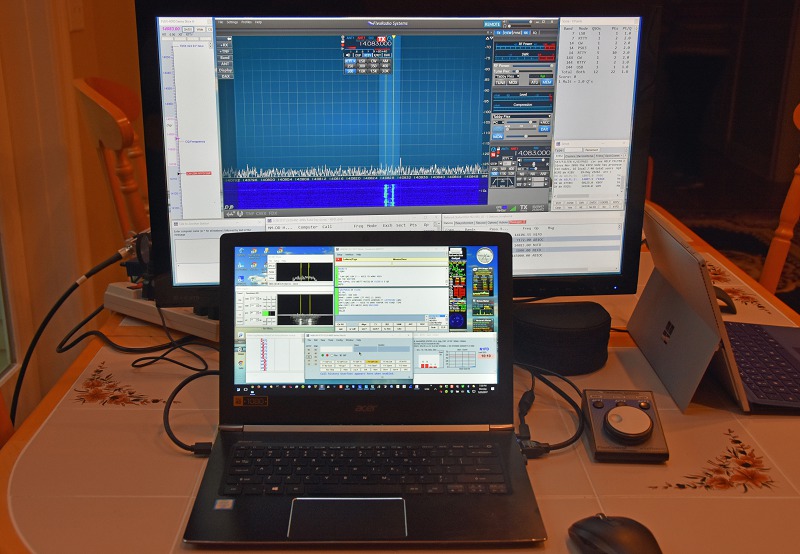
Digital Station Second Display – SmartSDR & More N1MM+
The Digital Station’s remote SDR will be operated using a SmartSDR client running on the Digital Station laptop PC. This station will have a second monitor to better accommodate all of the windows associated with it.
Digital Station Main Display – N1MM+
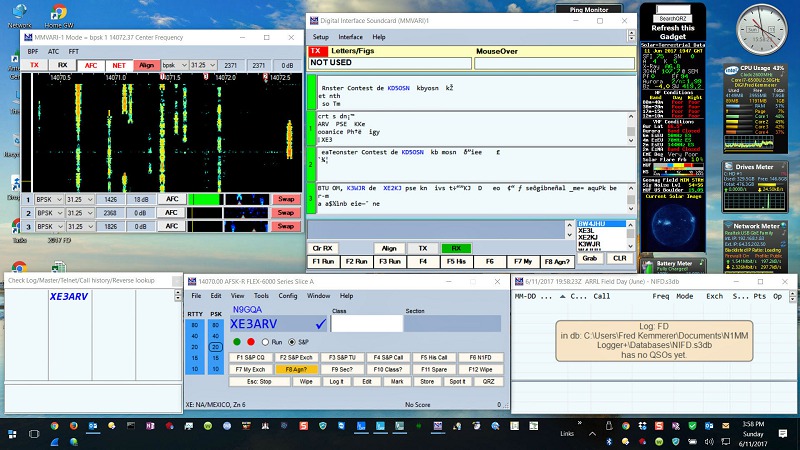
The main display associated with the Digital Station will run decoders for all PSK and RTTY modes. The ability to decode multiple PSK signals simultaneously and multiple RTTY decoders are available. The Digital station also acts as the N1MM+ master station in our Field Day setup for all of the other stations which use N1MM+.
Satellite Station Test
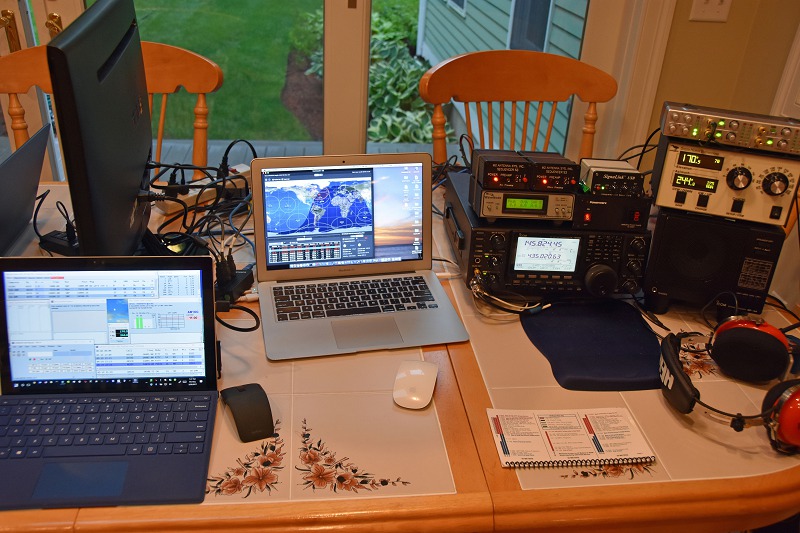
Our Satellite Station 2.0 was also added to the test setup. It uses a MacBook Air laptop running MacDoppler to control the antenna rotators and the Icom IC-9100 Transceiver which are part of our Satellite Station. A Windows 10 Surface Pro computer is included which runs N1MM+ and provides logging and other network functionality for our Satellite Station.
GOTA Station Test
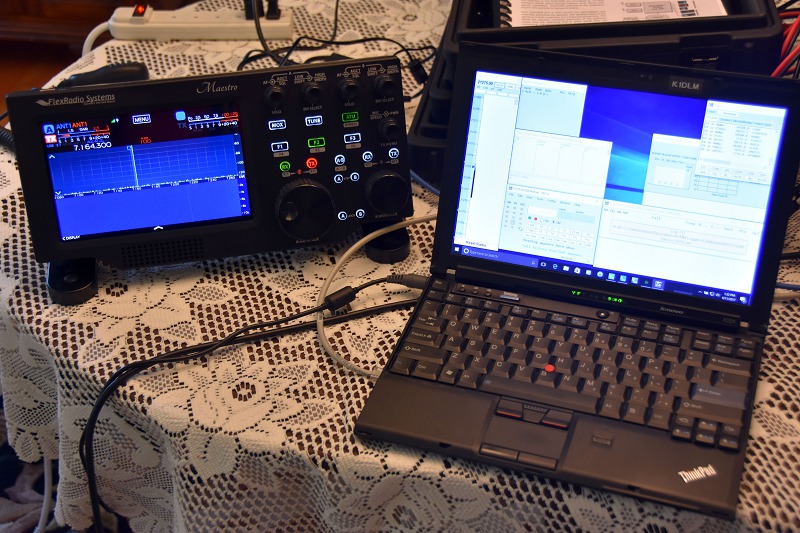
We also tested our GOTA station which uses the second Flex-6700 SDR and a FlexRadio Maestro to provide a more conventional “buttons and knobs” interface for our GOTA operators to use. This station will also have a laptop PC running N1MM+ for logging.
Scoreboard Computer
We also build and tested a Scoreboard PC. This computer will be located in the Public Information tent at Field Day and will be connected to a large display. It will show our real-time score, QSOs being logged as they are made and other useful information about our Field Day operations. This computer will also continuously play videos from our Club Video Collection and will provide access to IP video cameras which monitor the tower and equipment on the lower field.
Pierce, K1FOP and Hamilton, K1HMS Testing CW Stations
Our networked N1MM+ test bed contained at least one station of each type (CW, SSB, Digital, Satellite, and GOTA) that will be part of our Field Day setup this year. The Station Masters for the additional CW and SSB stations came by to test their setups using the test bed.
Field Day Networking System
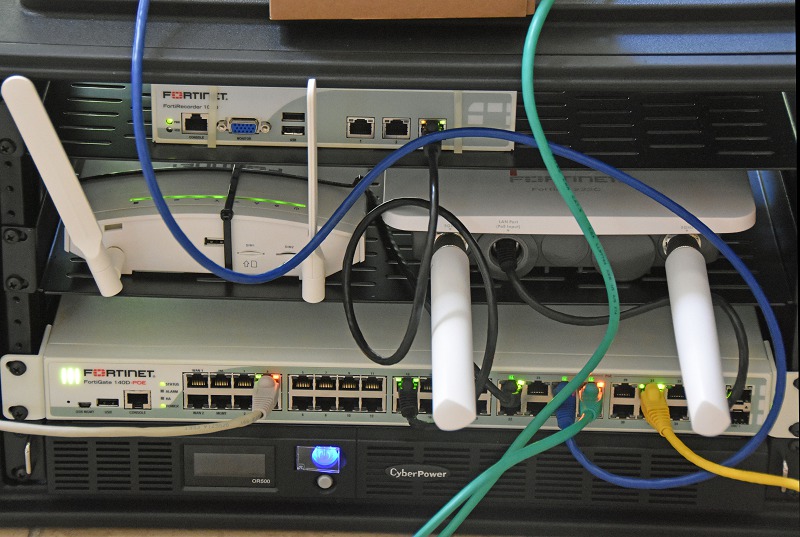
The networking system which Dave and Pierce built is central to all of the technology described here. All of the gear is mounted in a single rack which will be located on the upper field during Field Day. The setup includes a Firewall/DHCP server, a commercial grade outdoor WiFi access point, a 4G LTE modem for Internet access, an Ethernet Switch, and a UPS power supply.
MoCA Data Link Cable
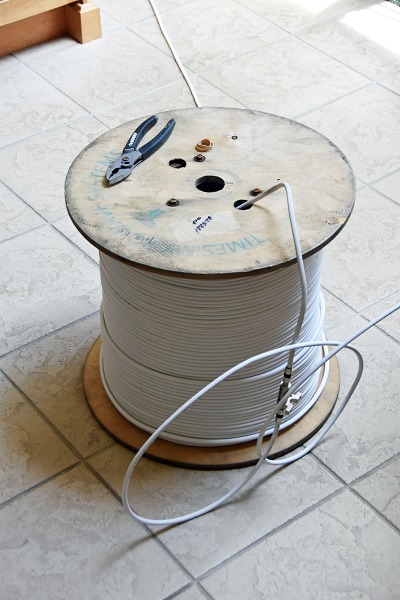
The upper and lower fields at our Field Day site are separated by several hundred feet. A thick line of trees between the two locations raised concerns about connecting the upper and lower sites using WiFi. Pierce came up with a great solution to this problem – we will be using MoCA Data Modems and RG6 Quad Shield 75 ohm Coax Cable to provide a 10 Mbps data link between the two sites. We tested the MoCA link using a much longer run of coax cable then we will need to use at Field Day and confirmed full 10 Mbps throughput.
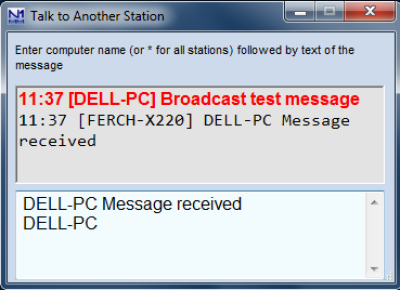
N1MM+ Talk Window
Our networked N1MM+ setup will allow any station in our setup to send messages to everyone who is operating at Field Day. We can use this capability for important communications like “lunch is ready!” or “I need help from Pierce (our IT chairman) on the 40m SSB station”, or “The 6m band is wide open!”.
Our GOTA and Digital stations will be located together in the same tent and will provide our Field Day 2017 visitors to see and use 21st-century Amateur Radio technology to make contacts. We are expecting young people who participated in our club’s High-Altitude Balloon project and from other local schools where we have done Amateur Radio activities to attend. In additional to being a learning opportunity for all of us in the Nashua Area Radio Club, we hope that the state of the art technology that we are using will generate interest among our visitors.
We use cookies to ensure that we give you the best experience on our website. If you continue to use this site we will assume that you are happy with it.