

Forum Replies Created
-
AuthorPosts
-
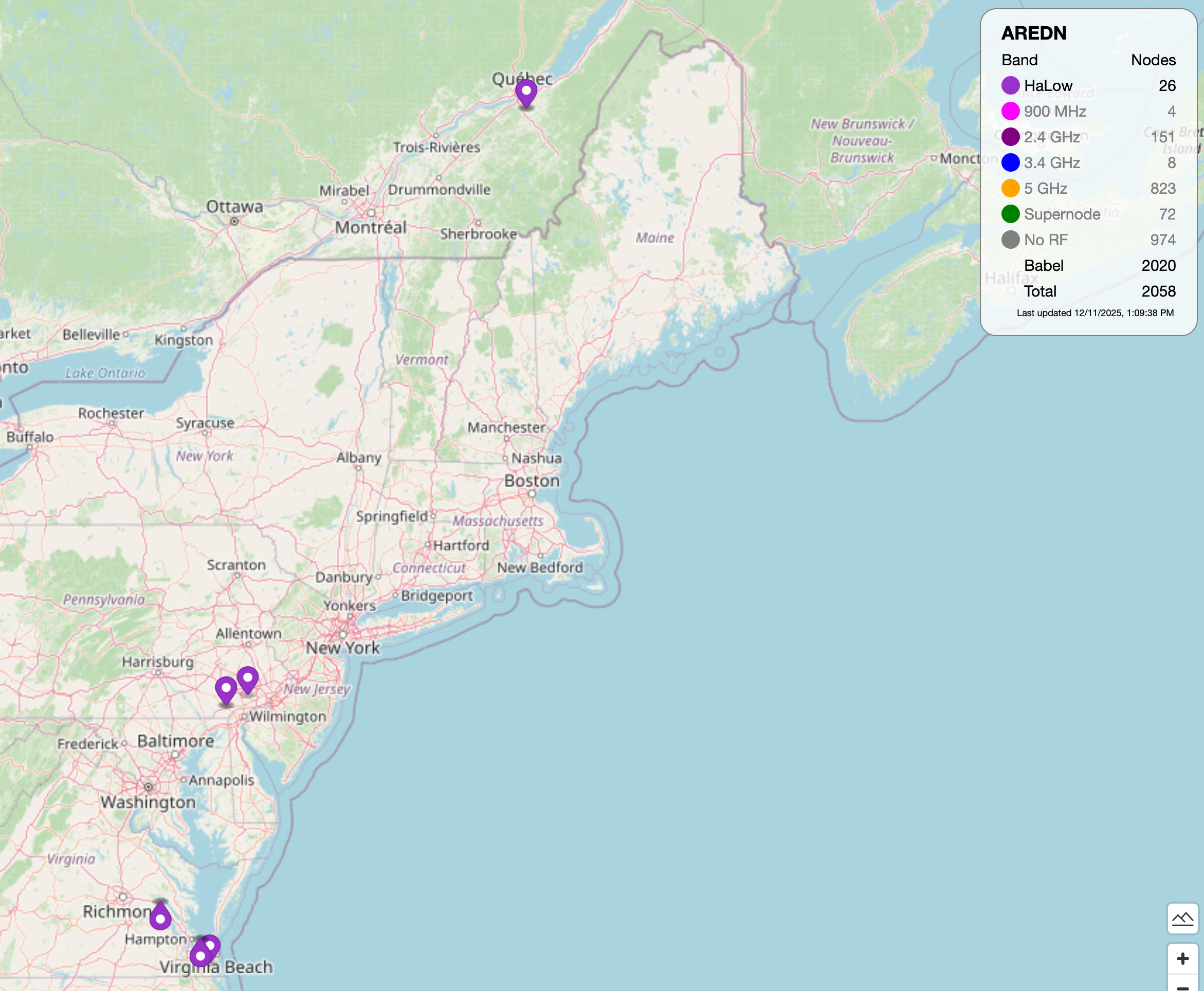
HaLow support for AREDN is fairly recent. It looks like a few sites in the eastern US are support HaLow applications –
Hello Emily,
AREDN does support communication with HaLow devices. Can you tell us a little bit about the devices that you are interested in? Here are a few links with some information on AREDN HaLow support –
https://docs.arednmesh.org/en/latest/arednNetworkDesign/frequency_bands.html#mhz-characteristics
https://www.arednmesh.org/content/aredn-release-325100-80211ah-support
Hi Dave,
AREDN uses 10.x.x.x and 172.x.x.x addresses for the local mesh. It is best to configure your home network to use 192.168.x.x addresses to avoid conflicts with the AREDN addresses.
I believe it may be possible to continue using 10.x addressing on your home network; this would require several static routes and would leave you vulnerable to future addressing conflicts with AREDN.
Just heard from Dave Pascoe, Km3T, who is doing the install at KC1XX –
Too cold and windy. Monday is possible, we will make a call on Sunday night.
We will not be installing the AREDN RF link tomorrow. This is a good call as it’s not safe to be on towers when the wind and cold are a problem.
I will let everyone know by posting here on Sunday evening whether the installation is a go for Monday.
ARRL Members can vote for Frank’s excellent article here –
https://www.arrl.org/cover-plaque-poll
Nice job, Frank!
September 16, 2025 at 12:49 pm in reply to: September Tech Night Video – Surface Mount Soldering #158677Thank you, Hamilton!
April 19, 2025 at 8:17 am in reply to: ISS Contact on April 17th to be Heard Over New England #158112Thanks Bill. I will be having another contact with a school in Canada on Tuesday. This ISS contact is scheduled to begin at 9:31 a.m. ET. We will post more information about this contact shortly,
Fred, AB1OC
FB Brian, count me in.
Fred AB1OC
The Public key mentioned above is generated randomly as part of the SSH key pair creation process. You can learn more about generating SSH key pairs here –
https://www.ssh.com/academy/ssh/keygen
When we first set up Linux on on RPi, we generated an SSH key pair. Later, we changed the SSH key to use a different pair that I generated on my macOS system. This caused the fingerprint for the server to change and I had to edit .ssh/known_hosts to remove the old fingerprint so a new one could be generated.
Fred, AB1OC
Here is a little more about how the SSH fingerprint is generated –
The fingerprint is based on the host’s public key, usually based on the
/etc/ssh/ssh_host_rsa_key.pubfile. Generally, it’s for easy identification/verification of the host you are connecting to.You can view the contents of the file by running
cat /etc/ssh/ssh_host_rsa_key.pub. To view that public key in fingerprint format, runssh-keygen -lvf /etc/ssh/ssh_host_rsa_key.pub.If the fingerprint changes, the machine you are connecting to has changed their public key. This may not be a bad thing (happens from re-installing ssh), but it could also indicate that you are connecting to a different machine at the same domain/IP (happens when you are connecting through something like a load balancer) or that you are being targeted with a man-in-the-middle attack, where the attacker is somehow intercepting/rerouting your ssh connection to connect to a different host which could be snooping your username/password.
Bottom line: if you get warned of a changed fingerprint, be cautious and double-check that you’re actually connecting to the correct host over a secure connection. Though most of the time this is harmless, it can be an indication of a potential issue.
-
AuthorPosts